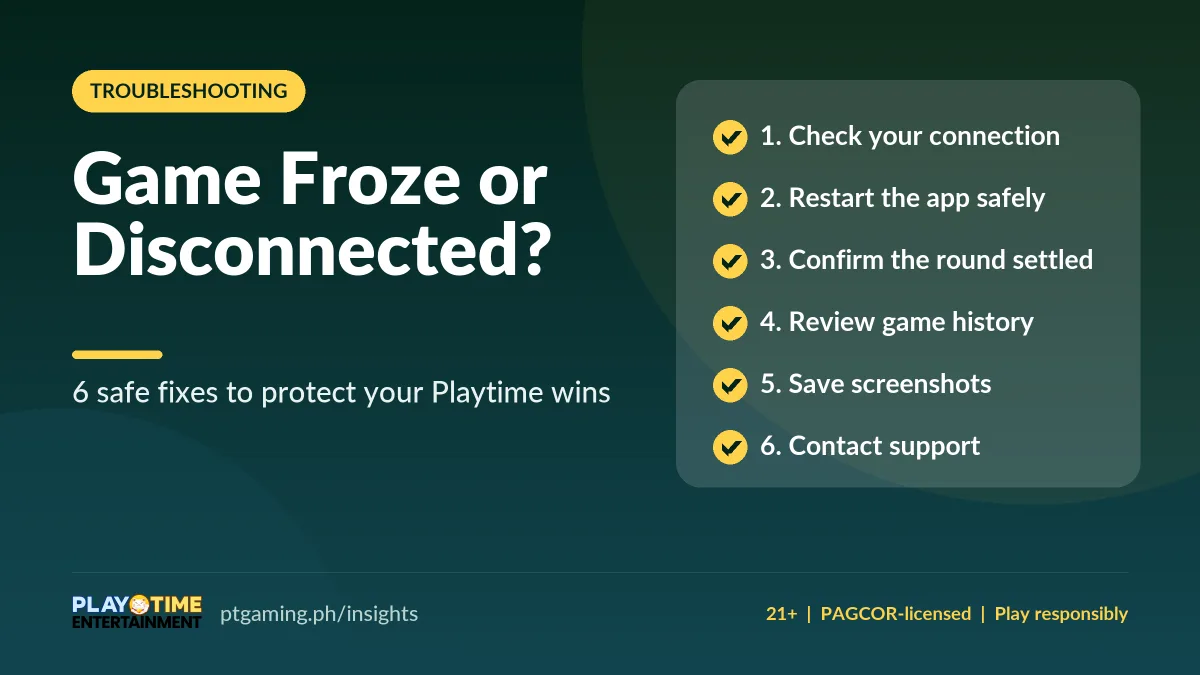
If a Playtime game freezes or you hit a disconnection, stay calm and don’t keep tapping. Check your connection, restart the app the safe way, confirm whether the round was settled in your game history, save screenshots, then contact support. Most freezes come from a weak signal, not a lost bet. (Verified November 2026.)
Playtime is one of the most phone-friendly platforms in the Philippines, which makes it among the most popular online games. But like any online game, your screen may freeze or you may hit a sudden disconnection — and that ruins the fun, especially when you’re winning. The good news: a Playtime game disconnection rarely means a lost bet. New to the app? Start with the Playtime app guide.
If a game stops midway, stay calm and avoid pressing every button on your screen — that won’t help. Here are six useful tips to protect your wins and balance, review your bets, and get back to playing without problems.
Why do Playtime games freeze or disconnect?
Most freezes are not the app’s fault. A weak internet connection or poor mobile signal is the usual cause — for example, when you’re on a moving bus and the signal keeps changing. Low device storage or memory can also affect gameplay. And some rounds only appear stuck. Here’s how to tell the difference and fix it.
| What you see | First thing to try |
|---|---|
| Game won’t load at all | Switch between Wi-Fi and mobile data |
| Screen frozen mid-round | Stop tapping, screenshot the error, then restart the app |
| Balance looks wrong after reconnecting | Refresh and wait, then check game history |
| Slow or laggy play | Run a quick speed test; pause betting until stable |
1. Check your connection before reopening Playtime
Don’t just close the app — check your connection first. Test it through your other apps and by visiting other websites. If Playtime still won’t load, switch from Wi-Fi to mobile data; sometimes one is more stable than the other. You can also toggle Airplane Mode on for a few seconds and back off, or restart your router.
Run a quick connection test
Play a short video or open a website to gauge your speed. If it loads slowly, keep your funds safe and avoid placing another bet until your signal is back to normal. This reduces the risk of sending the same request more than once.
2. Restart Playtime the safe way
If the screen stays frozen and you can, take a screenshot of the error message — every error means something. If the display shows a different balance, photograph that too. That’s enough for support to understand what happened. If you can’t screenshot, ask a friend to lend you a device to take a photo.
When it freezes, take a breath and stop tapping anywhere. You could accidentally hit the Spin button or another feature, which makes it harder for support to resolve the issue.
3. Check whether the round was settled
A disconnection does not always cancel your active round. Often the game continues and the bet is settled in the final result — your game keeps going even if you lost connection. After signing back in, refresh your balance and wait a moment before starting another round. If the result is still unclear, check your game records.
4. Review your game history in Playtime
Your game history records every round and result. In many slots you can open it from the WIN display; in others it sits under the gear icon. Need the rules? Look for the information icon or book icon — the layout differs between games, but those two are always worth checking.
You can also check your Transactions page, which covers deposits, cash-outs, and rewards, so you’ll know whether a round was won or settled. For how payouts reach your wallet, see the Playtime withdrawal guide.
5. Save evidence before contacting Playtime
Support is there to help, so document the problem clearly first. Just like our 777 Casino withdrawal issue guide, here’s a quick checklist to prepare before you send a report:
- The date and exact time the issue happened on your device.
- The game title and category.
- The bet amount.
- Your balance before and after the round.
- A screenshot of the error or loading screen — or write down the error number / photograph it with another device.
- Your round or order number (this helps support check faster).
- Your device type and the connection you were using.
6. Contact Playtime support safely
Not sure where to report? You can reach Playtime support through the in-app Help Center, or by email at cs@playmate.com.ph. Include your list of details and screenshots — without them, a fix takes longer. Never share your login details, OTP, or payment PIN with anyone, even support.
FAQs about Playtime game freezes and disconnections
Does a disconnection cancel my Playtime round?
Not always. In many games the round keeps going and the bet is settled in the final result. After reconnecting, refresh your balance and check your game history before betting again.
Will I lose my bet if a Playtime game freezes?
A freeze usually comes from a weak signal, not a lost bet. Your game history and Transactions page show whether the round was settled, so you can confirm the outcome before playing on.
How do I contact Playtime about a stuck game?
Use the in-app Help Center or email cs@playmate.com.ph. Attach screenshots, the time, game title, bet amount, and your round number so support can resolve it faster.
How can I stop Playtime from freezing?
Keep a stable connection, free up device storage, and update the app to the latest version. Avoid playing on a weak or changing signal, and pause betting until your speed is back to normal.
Return to Playtime calmly
We love online games for the easy access and entertainment — an escape from the traffic rush. When a game gets stuck, it ruins the experience, but panicking makes it worse. Stop tapping, breathe, and work the checklist: check your connection, restart the app and device, and confirm your round in game history. Most of the time these tips do the trick. If the problem persists, contact support with all the details they need — and never share your login details.