What Is the ABC8 Casino App Download APK?
ABC8 Casino App Download APK is an Android application installation package advertised under the ABC8 casino name. However, an APK bearing that name is not automatically an official or verified application.
Search results for ABC8-related downloads may include different casino websites, mobile landing pages, QR codes, and third-party installation links.
The main concern is not simply whether a file can be downloaded. It is whether the file can be reliably connected to the operating company and publisher responsible for the service.
Understanding APK Files on Android
APK stands for Android Package Kit, the package format Android uses to distribute and install applications.
An APK typically contains the application’s code, resources, manifest information, and signing data.
When an Android application is installed through Google Play, much of the distribution and update process is handled by Google’s application infrastructure.
An APK downloaded directly from a website follows a different distribution path.
| Feature | Google Play installation | Website-downloaded APK |
| Distribution source | Google Play | Website or other download source |
| App publisher information | Available through the store listing | Must be established through the source and package details |
| Installation process | Managed through Play | May require permission for the downloading app to install packages |
| Security screening | Google Play security systems | Google Play Protect may also scan sideloaded apps |
| Updates | Usually managed through Google Play | Depend on the publisher and distribution method |
| Source verification | Store listing and developer information | Website identity, publisher, signature, and file integrity |
Neither distribution method makes every application automatically trustworthy.
The distinction is that direct APK downloads require users to examine the file’s origin more carefully.
For example, an Android phone might download a file named:
ABC8-Casino.apk
That filename provides no independent proof of who created the application.
Another developer could distribute a completely different APK under the same filename.
The file’s package identifier and signing certificate provide additional technical information, but those details still require comparison with a trustworthy publisher reference.
Practical takeaway: An APK filename describes the downloaded file; it does not establish the application’s identity, legitimacy, or safety.
ABC8 Casino Branding and Similar Websites
Search results have surfaced several websites using ABC8 or related casino branding, including abc8.ph, abc8a99.com, and sites using ABC VIP terminology.
Some display account-access information, game categories, application promotions, or QR-code download options.
However, similar branding does not establish common ownership.
A website can imitate a casino’s name and visual design without belonging to the actual operator.
| Website or branding | Observed type of information | What remains unverified |
| abc8.ph | ABC8-branded casino information and licensing claims | Independent confirmation of the claimed operator and authorization |
| abc8a99.com | ABC8 gaming interface and download-related navigation | APK publisher and security status |
| ABC VIP-branded pages | Game promotions and mobile download references | Relationship to other ABC8 websites |
| Unidentified ABC8 APK mirrors | Files or download buttons using the ABC8 name | Original developer, package authenticity, and file integrity |
These examples represent websites encountered during research, not endorsed download destinations.
The distinction matters because an Android application may have access to sensitive information after installation.
A malicious imitation could display a familiar casino interface while attempting to collect login credentials or request unnecessary device permissions.
For example, suppose two unrelated websites both display an ABC8 logo and a button labeled Download for Android.
Website A provides an APK from its own server.
Website B redirects visitors to a separate file-hosting domain.
Even if the files share the same name, there is no basis for assuming they have identical contents or were signed by the same developer.
The download source, operating company, and application identity must be verified separately.
Branding takeaway: An ABC8 logo, matching color scheme, or familiar application filename cannot replace verification of the responsible publisher and operator.
What Is Confirmed About ABC8 App Distribution?
At the time of this review, the available evidence does not establish one independently verified ABC8 Casino APK download address, official Android package identifier, or developer signing certificate.
This does not prove that every ABC8-branded application is unsafe.
It means the available information is insufficient to endorse a particular download file as authentic.
The distinction between published claims and verified details is important.
| App information | Verification status |
| ABC8-branded websites exist | Observed |
| Some pages advertise Android downloads | Observed |
| One independently verified official APK URL | Not established |
| Official Android package identifier | Not established |
| Verified signing certificate | Not established |
| Trusted publisher-provided SHA-256 checksum | Not established |
| Current official APK version | Not established |
| Guaranteed device compatibility | Not established |
| Independent malware analysis of the exact APK | Not performed |
A website may claim that its application is official, secure, or compatible with every Android device.
Those statements should be treated as publisher claims until supporting evidence can be checked.
Similarly, a displayed version number or file size is not sufficient evidence of authenticity.
A malicious file can imitate the expected version label and approximate file size.
A more reliable assessment connects the downloaded file to a verified publisher through consistent application identity and signing information.
Distribution takeaway: The correct conclusion is that ABC8-branded APK downloads require independent verification—not that an unconfirmed file should be treated as an official release.
How Can You Find a Trustworthy ABC8 APK Source?
A trustworthy ABC8 APK source should be traceable to the legitimate operating company and an identifiable application publisher.
The complete download path matters, including the website where the download begins and any domain that actually hosts the file.
A page should not be trusted solely because it uses the brand’s name or displays a licensing badge.
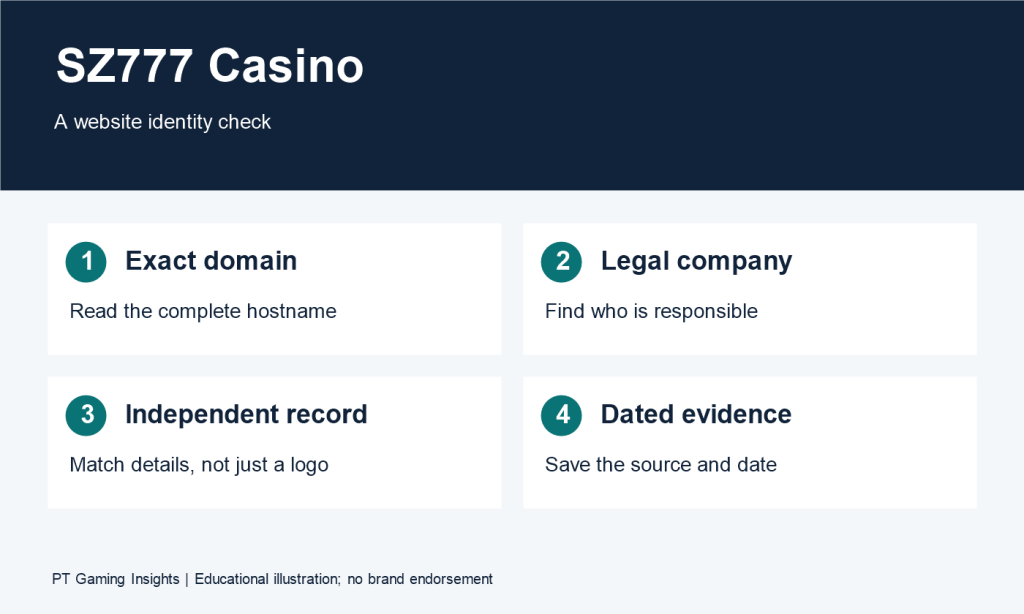
Checking the Website Domain and Operating Company
A domain is the website address used to access a service.
Similar-looking domains may belong to different companies.
For example:
abc8.ph
abc8a99.com
These are different addresses. Their shared use of ABC8 branding does not prove that they belong to the same operator.
The following information helps evaluate a website’s identity:
| Verification item | What to examine | Why it matters |
| Exact domain | Complete website address | Distinguishes separate websites |
| Legal company name | Entity responsible for the service | Establishes accountability |
| Regulatory information | Authorization relevant to the jurisdiction | Helps evaluate the operator’s claims |
| Official contact information | Support channels linked to the operator | Provides an independent verification route |
| Download destination | Domain hosting the APK | Identifies where the file is actually obtained |
| Publisher identification | Developer responsible for the app | Links the software to a stated source |
A secure HTTPS connection is useful because it encrypts traffic between the browser and website.
However, HTTPS does not prove that the business is legitimate or that a downloadable APK is harmless.
Fraudulent sites can also use valid HTTPS certificates.
For Philippine online gaming websites, PAGCOR Guarantee provides an official resource for checking information about authorized platforms.
But casino licensing and APK security are separate questions.
Even if a website’s operator is authorized, that does not automatically verify the safety of every file distributed under its name.
Domain takeaway: Confirm the responsible operating company and final download domain before relying on any ABC8 APK claim.
Verifying App Publishers and Official Links
The application publisher is the organization responsible for distributing the software.
A legitimate download should be traceable to that publisher through information that can be checked independently.
For Android applications, three technical details are especially useful:
Package name: A unique application identifier, such as a reverse-domain-style identifier.
Signing certificate: Cryptographic signing information used to verify application signing identity and update compatibility.
SHA-256 checksum: A digital fingerprint that can identify an exact file when compared with a trusted reference.
These details have different purposes.
A package name identifies the application namespace, but attackers can imitate package names.
A digital signature establishes that the APK was signed with a particular key, but the signature alone does not tell the user whether that key belongs to the legitimate ABC8 publisher.
A SHA-256 checksum can confirm an exact file match when a trusted publisher independently provides the expected value.
Consider the following hypothetical comparison.
| Information | APK A | APK B |
| Display name | ABC8 Casino | ABC8 Casino |
| Package identifier | Same claimed identifier | Same claimed identifier |
| Signing certificate | Certificate A | Certificate B |
| SHA-256 | Hash A | Hash B |
The matching display names and package identifiers would not establish that both files are genuine.
Different signing certificates and file hashes would require further investigation.
A file hash difference can also occur after a legitimate update, so the version and trusted reference must match the file being checked.
Publisher takeaway: A trustworthy file should have an independently verifiable connection to its claimed publisher. Matching names and icons are not enough.
Why QR Codes and Third-Party APK Pages Need Checking
QR codes can simplify access to a website, but they do not verify the destination.
A QR code can lead to a legitimate operator’s page, an unrelated website, or a direct APK download.
For example, a promotional page might display a QR code beneath an ABC8 application logo.
Scanning the code could open a different domain from the one shown on the original page.
That difference does not automatically prove fraud, but it requires verification.
The same issue applies to third-party APK download pages.
| Download method | Main verification concern |
| Direct operator website | Is the operator and file publisher verified? |
| QR-code download | What exact destination does the code open? |
| APK mirror | Does the file match an authenticated publisher release? |
| Shortened link | What is the final destination? |
| Messaging-app attachment | Is the sender and file origin independently verified? |
| Search advertisement | Does the destination belong to the legitimate publisher? |
A download link may pass through several redirects before delivering the file.
The relevant identity is not merely the first page visited. The final hosting destination and application package also matter.
A safer assessment stops if the origin cannot be established.
For instance, if a QR code leads to an unfamiliar file-sharing domain and no verified publisher information is available, there is insufficient evidence to classify the APK as trustworthy.
Google Play Protect may inspect apps installed from outside Google Play, but scanning does not guarantee that every harmful file will be detected.
The appropriate response to an Android malware warning is to treat it seriously, not to disable device protection just to complete installation.
Download-source takeaway: QR codes, shortened links, and APK mirrors are delivery mechanisms, not evidence of authenticity. The operator, publisher, and exact file must be independently verified.
ABC8 Casino App Download APK: Android Safety Checks
Step 3 · Part 1 — English SEO Article · H2 #3–#13 + Final Verdict
The Introduction and first two H2 sections from Step 2 remain unchanged. The following sections continue the approved outline.
Verification note: An independently authenticated ABC8 Casino APK, its official Android package identifier, signing certificate, and publisher-provided checksum have not been established. The technical examples below explain Android security checks; they do not represent completed security tests on a particular ABC8 application.
What Should You Check Before Downloading an ABC8 APK?
Before downloading an ABC8 APK, verify the publisher, exact download destination, application version, and any technical identity information supplied by a trustworthy source.
An APK filename is not enough to establish authenticity. Two files with identical names can contain different application code, signing certificates, and permissions.
The relevant question is whether the file can be connected to a legitimate publisher through evidence that does not depend solely on the download page’s claims.
Checking the APK Version and File Size
A version number helps identify a particular application release.
Android applications may contain both a user-facing version name and an internal version code. The two serve different purposes.
For example, a hypothetical application could display:
| APK property | Illustrative value |
| Filename | example-casino.apk |
| Version name | 2.4.1 |
| Version code | 241 |
| File size | 38 MB |
| Minimum Android version | Android 9 |
| Publisher | Requires independent verification |
These are fictional values, not confirmed ABC8 APK specifications.
A release number can help distinguish an older file from a newer one, but it does not prove that the file came from the legitimate developer.
File size is similarly limited.
Suppose one website advertises a 38 MB APK while another provides a 52 MB file with the same version name.
The discrepancy deserves investigation. However, differences in file size can also result from legitimate packaging changes, device-specific builds, or bundled resources.
Neither a matching version number nor a matching file size independently proves safety.
Reviewing Package Names and Developer Details
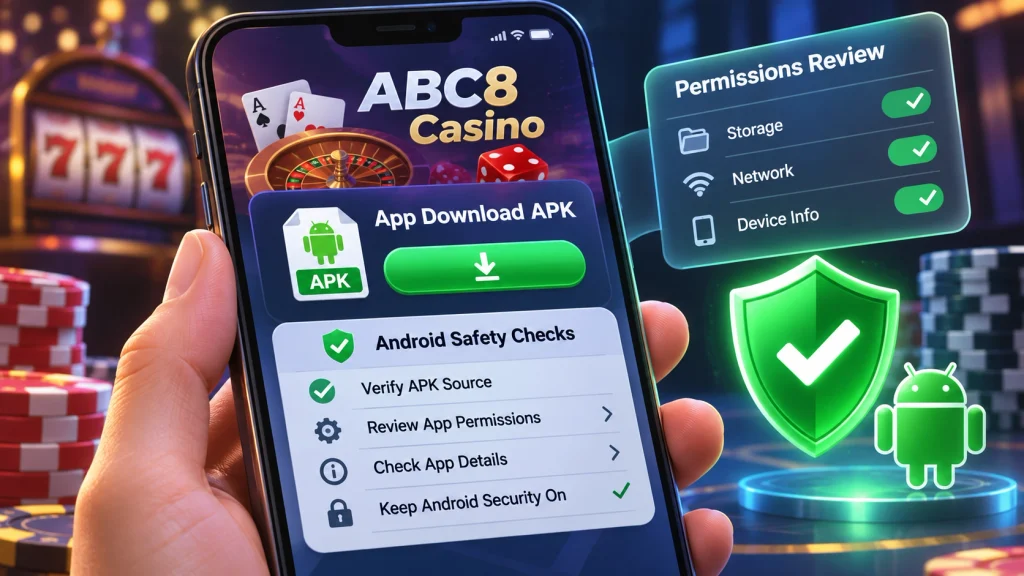
Android applications use package identifiers to distinguish installed applications.
These identifiers often resemble reverse-domain names.
A fictional example is:
com.example.mobilecasino
This is not the official ABC8 package name.
A package identifier is useful because Android uses application identity when managing installation and updates.
However, a malicious developer may choose a name that resembles the identifier of another application.
The developer’s display name is even easier to imitate.
A trustworthy comparison should examine the following:
| Information | What it establishes | Limitation |
| App display name | Label visible to users | Easily imitated |
| Package identifier | Android application identity | Does not prove publisher ownership |
| Version number | Release identification | Can be copied |
| Signing certificate | Cryptographic signing identity | Must be linked to a trusted publisher |
| Publisher website | Claimed distribution source | Website ownership still needs verification |
For example, two applications may both display “ABC8 Casino” on the home screen.
That does not prove that their Android package identifiers or signing certificates match.
If their signing identities differ, they should not be treated as interchangeable releases without an explanation from the verified publisher.
Understanding SHA-256 File Hash Verification
SHA-256 is a cryptographic hashing algorithm that produces a fingerprint of a file.
A file’s SHA-256 value can help determine whether two copies are byte-for-byte identical.
For example, a Windows user who already has an APK file can calculate its hash using the built-in certutil command.
certutil -hashfile “C:\Downloads\example.apk” SHA256
The command displays a hexadecimal hash value.
A comparison is useful only when the expected hash was obtained independently from a trustworthy publisher source.
| Result | Interpretation |
| Hash matches a trusted reference for the same release | File contents match that reference |
| Hash differs | File is not byte-identical to the reference |
| No trustworthy reference exists | Authenticity cannot be established through the hash alone |
| File matches a malicious publisher’s own hash | Matching hash does not make the software safe |
Suppose an APK mirror publishes a checksum next to its own download button.
If the mirror also controls the file, that checksum may simply describe the file it distributes.
It does not independently establish that the original ABC8 publisher created the APK.
A hash is therefore a tool for checking file integrity, not a malware detector.
Pre-download takeaway: Check the claimed publisher and release identity before trusting version numbers, file sizes, or checksums. Technical details are valuable only when compared against reliable references.
How Does Android Handle APK Installation?
Android distinguishes application installation through a trusted distribution service from installation requested by another app, such as a browser or file manager.
For APKs obtained outside a first-party app store, Android uses additional installation controls.
Those controls exist to reduce accidental or unauthorized software installation.
Google Play Downloads Versus Sideloaded APKs
Sideloading refers to installing an application package outside the usual app-store distribution process.
For example, an APK downloaded from a website may be opened through a browser’s download manager or a file-management application.
Google’s Android documentation explains that developers can distribute signed APK files directly through websites, but Android requires user authorization for installation from those sources.
Android Developers
| Distribution method | Typical installation path | Main consideration |
| Google Play | Through the Play Store | Verify listing and developer |
| Publisher website | APK downloaded through browser | Verify publisher and file authenticity |
| Third-party APK mirror | Download from an intermediary | Verify original provenance independently |
| Messaging attachment | File received through conversation | Higher uncertainty about origin |
| File manager | Existing APK opened locally | Determine where the file originally came from |
An APK is not automatically malicious because it is installed outside Google Play.
However, direct distribution places more responsibility on the user to verify the source.
A familiar icon or successful installation cannot establish that the software is trustworthy.
Understanding Install Unknown Apps Permission
On Android 8.0 and later, the system handles unknown-app installation authorization on a per-source basis.
For example, a browser and a file manager can have separate authorization states.
Android’s official documentation identifies this as the Install unknown apps system setting.
Android Developers
This is different from the older Android model that used a more general unknown-sources setting.
Consider a hypothetical scenario:
A user downloads an APK through a browser.
Android may require a decision about whether that browser is permitted to request installations from outside the usual app-store process.
That permission relates to the source application. It is not a declaration that the particular downloaded APK has been independently verified.
Users should distinguish these questions:
Is this source application permitted to request installations?
Is the specific APK authentic and safe?
Answering the first question does not establish the second.
Why Installation Permission Should Be Limited
Allowing an app to request installations can create additional exposure if the source is later used to distribute suspicious files.
For that reason, installation authorization should not be treated as a permanent requirement for browsing the internet.
A legitimate need to install one verified package does not establish a need to trust all future downloads from the same source.
If the publisher and APK cannot be authenticated, granting installation permission does not resolve the uncertainty.
The safer decision is to stop rather than change security settings simply because a download website instructs the user to do so.
Android also allows users to review and change installation-source authorization through system settings. The precise menu labels may differ by device manufacturer and Android version.
Installation takeaway: Android’s installation controls govern which apps may request package installation. They do not replace verification of the downloaded APK or its publisher.
How Does Google Play Protect Check APK Files?
Google Play Protect examines applications for potentially harmful behavior, including apps installed from outside Google Play.
It may display warnings, request additional scanning, prevent installation, or take action against harmful software already present on a device.
Google recommends keeping Play Protect enabled.
Google Play Help
What Play Protect Scans During Installation
Google Play Protect checks applications through several security mechanisms.
For apps installed outside Google Play, it may request additional analysis of an unfamiliar package.
The system can also periodically scan applications already installed on a device.
According to Google’s support documentation, Play Protect may warn users about harmful apps, disable them, remove them, or prevent certain suspicious installations involving sensitive permissions.
Google Play Help
The important distinction is between an application that has not yet been assessed and one that has been identified as potentially harmful.
An unfamiliar package may require additional analysis.
A warning about detected malicious behavior is more serious.
Neither situation should be interpreted from the application’s branding alone.
Understanding Unknown App and Malware Warnings
Android users may encounter different categories of security messages.
| Warning category | Possible meaning | Appropriate response |
| Unknown app scan recommended | Further examination may be needed | Let the security check operate |
| Potentially harmful application | Security system identified a concern | Do not dismiss the warning |
| Installation blocked | Installation does not satisfy the relevant security condition | Investigate the reason instead of bypassing it |
| Sensitive-permission warning | App requests access associated with elevated risk | Review the request and publisher |
| Harmful installed app detected | Existing software may present a security threat | Follow trusted security and removal guidance |
These descriptions summarize general Android security behavior, not actual scan results for an ABC8 APK.
For example, suppose an APK carrying the ABC8 name triggers a Play Protect warning about suspicious permissions.
The warning does not establish that the legitimate ABC8 operator created the file.
It also does not justify disabling protection to complete the installation.
The file’s origin should be independently established before any further action.
Why You Should Not Disable Play Protect to Install an APK
Some download pages tell users to disable Play Protect or other device-security controls when an application cannot be installed.
That instruction deserves particular skepticism when the publisher has not been verified.
Disabling a protective control can reduce the device’s ability to detect or block harmful software.
Google specifically recommends that Play Protect remain enabled.
Google Play Help
A Play Protect scan is not a guarantee that an application is harmless, because security systems can miss threats.
Similarly, a warning is not a substitute for a full investigation into publisher identity and package integrity.
A safer evaluation combines multiple independent checks:
| Security layer | What it contributes |
| Verified publisher | Identifies the expected software source |
| Authenticated package reference | Helps establish release identity |
| Signing certificate comparison | Helps check signing continuity |
| SHA-256 comparison | Checks exact file integrity |
| Play Protect | Provides device-level security detection |
| Permission review | Identifies requested device capabilities |
Play Protect takeaway: Keep Android security protections enabled. A website’s instruction to disable protection is not evidence that its APK is safe.
Which Android Permissions Should Raise Questions?
App permissions determine which device features or personal information an application may access. A permission request is not automatically malicious, but it should have a clear relationship to the app’s legitimate purpose.
For an unverified ABC8 Casino APK, broad requests involving text messages, contacts, accessibility services, or device administration deserve particular scrutiny.
The correct evaluation asks what the permission allows, why it is needed, and whether the publisher is trustworthy.
SMS, Contacts, and Accessibility Access
Some permissions can expose sensitive information or provide extensive control over a device.
| Permission or access | Potential capability | Why it deserves scrutiny |
| SMS | Read or interact with text messages | Messages may contain authentication codes |
| Contacts | Access stored contact information | May expose personal information about other people |
| Accessibility service | Observe or interact with supported screen elements | Can provide powerful device-interaction capabilities |
| Notification access | Read certain notifications | Notifications may reveal sensitive information |
| Device administrator | Enforce certain device-management functions | Can complicate removal or device control |
| Display over other apps | Show content above other applications | Can potentially facilitate deceptive interfaces |
For example, an app that only displays casino games may have no obvious reason to request access to the user’s entire contact list.
A suspicious application might also request accessibility access and claim it is necessary for faster login.
That claim requires verification rather than automatic acceptance.
Google warns that harmful apps may pressure users to change restricted device settings, exposing personal data or increasing security risk.
Android Help
Permission behavior also depends on the Android version and the specific APIs an app uses.
For example, an application does not necessarily need unrestricted SMS access to support every form of one-time-code autofill.
Permission takeaway: Treat requests for sensitive access as questions to investigate, not instructions to approve automatically.
Storage, Notifications, and Device Permissions
Not all permissions are equally sensitive.
An app may request notification permission to display account alerts or status messages.
It might request access to selected images to allow an authorized account holder to upload verification documents.
However, the scope of access still matters.
For example, requesting one selected photo is different from asking for unrestricted access to a device’s media library.
| Feature | Possible legitimate purpose | Question to ask |
| Notifications | Account or activity alerts | Is notification access necessary? |
| Camera | Scanning or document capture | Is the request limited to the intended task? |
| Photos | Uploading a selected image | Can access be limited to selected files? |
| Location | Jurisdiction or location-sensitive functionality | Is the purpose explained? |
| Microphone | Audio-enabled features | Does the app actually require audio input? |
These are general examples, not confirmed permission requests from an ABC8 application.
The presence of a legitimate possible use does not prove the application’s actual behavior is legitimate.
How to Review Permissions Before and After Installation
Android provides settings for reviewing app permissions.
On many Android devices, users can open:
Settings → Apps → Select the application → Permissions
The wording and location vary by manufacturer and Android version.
On supported Android versions, the Privacy Dashboard also shows recent access to sensitive permissions, helping users identify which applications accessed certain device capabilities.
Android Help
For example, an application unexpectedly accessing the microphone when no audio feature is in use may deserve investigation.
Permission settings should also be reviewed after software updates because application functionality and permission requests can change.
If the application cannot perform its core purpose without granting unexplained high-risk access, the publisher should provide a credible explanation before that access is approved.
Permission takeaway: Review what the app can access, not simply whether it installs successfully. Unexpected requests for powerful permissions are reasons to stop and investigate.
How Can You Check Whether an ABC8 APK Was Modified?
APK integrity can be evaluated through file hashes and digital signatures, but those checks only establish authenticity when trustworthy reference information is available.
A successfully verified signature shows that an APK’s signed contents have not been altered in a way that invalidates that signature.
It does not, by itself, prove that the signer belongs to the genuine ABC8 publisher.
Understanding APK Digital Signatures
Android applications must be cryptographically signed.
Android uses signing information to verify application packages and determine whether an update is compatible with an installed application.
Google’s Android documentation explains that signing keys help ensure app updates originate from the same signing identity, subject to supported signing-key rotation mechanisms.
Android Developers
A technical user with the appropriate Android SDK Build Tools can inspect an APK signature using apksigner.
The command can report signature-verification information and signing-certificate details.
The command itself does not execute the casino application.
Google documents apksigner as a utility for signing APKs and verifying their signatures.
Android Developers
However, an independently created APK can also have a technically valid signature.
Therefore, the relevant question is not merely whether a signature exists.
It is whether the signing identity matches a trusted, authenticated release from the legitimate developer.
Comparing Trusted SHA-256 Checksums
A SHA-256 checksum identifies the exact bytes of a file.
Consider a hypothetical situation:
A publisher provides a verified download and independently publishes the expected checksum for version 2.4.1.
A user calculates the checksum of the downloaded file.
If the values match, the files are byte-identical under the hash comparison.
If they differ, the downloaded file is not an exact match to the reference.
| Comparison result | What can be concluded |
| Matching trusted hash for the same release | Exact file integrity is supported |
| Different hash for the same expected release | File contents differ |
| Publisher does not provide a reference | Integrity cannot be independently established this way |
| Hash is published only by an unknown mirror | The mirror’s claim does not verify original publisher identity |
An APK’s SHA-256 hash will also change after legitimate modifications, including a new version.
That means the expected hash must correspond to the same release and package format.
As established earlier, no authenticated publisher-provided ABC8 APK checksum has been confirmed for this article.
The appropriate conclusion is therefore that no specific downloaded ABC8 file can presently be endorsed through such a comparison.
Why Matching App Names Do Not Prove Authenticity
The display name is one of the easiest application attributes to imitate.
Two APKs may show the same name and icon yet contain entirely different software.
Consider this fictional comparison:
| Property | APK A | APK B |
| Display name | ABC8 Casino | ABC8 Casino |
| Icon | Same appearance | Same appearance |
| Package identifier | Similar | Similar |
| Signing identity | Certificate A | Certificate B |
| File hash | Hash A | Hash B |
| Verified publisher relationship | Established independently | Unknown |
The matching appearance provides little evidence of authenticity.
Even matching package identifiers do not prove that the files were produced by the same publisher.
The signing identity and publisher verification are more meaningful.
For application updates, an unexplained signing mismatch can also lead Android to reject the installation.
Integrity takeaway: A valid APK signature, matching filename, or calculated hash is insufficient on its own. The evidence must connect the file to a verified publisher and release.
Why Might an ABC8 APK Fail to Install?
An APK installation failure can result from device incompatibility, insufficient storage, a damaged package, a signing mismatch, or Android security protections.
These causes require different responses.
An error message should not be treated as evidence that Android’s security settings need to be disabled.
Android Version and Device Compatibility
Android applications can specify a minimum supported Android version.
An application may also contain native components intended for particular processor architectures.
For example, a hypothetical app built for a newer Android version might not install on an older device.
Likewise, a package intended for one device architecture might not be compatible with another.
| Possible compatibility issue | What it means |
| Minimum Android version too high | Device operating system is unsupported |
| Unsupported architecture | Package may lack compatible native components |
| Required device feature absent | App depends on unavailable hardware or software |
| Incorrect package format | File may not be a directly installable APK |
| Managed-device restrictions | Organization or device policy may prohibit installation |
These are general Android installation considerations, not verified compatibility limitations of ABC8 Casino.
A legitimate publisher should provide clear minimum requirements.
If those specifications cannot be authenticated, users should not infer compatibility from a promotional claim such as “works on all Android phones.”
Insufficient Storage and Corrupted Files
Android installation may require more available storage than the size of the downloaded APK.
The operating system must process and install the application, which can involve additional temporary and installed data.
A file may also be incomplete or corrupted.
For example, suppose a download is interrupted before the entire APK is saved.
The file may appear in the Downloads folder but fail validation during installation.
A safe investigation should confirm the source’s authenticity before attempting to obtain another copy.
Repeatedly downloading the same unverified APK from different mirrors does not establish that any of those files are trustworthy.
Signature Conflicts and Existing App Versions
Android uses signing identity when determining whether one APK can update an existing application.
If a new package claims the same application identity but is signed incompatibly, Android may refuse to install it as an update.
This protection helps prevent an unrelated publisher from silently replacing an installed application.
There can be legitimate signing-key rotation procedures, so every certificate change is not necessarily malicious.
However, an unexplained conflict should not be dismissed.
For example, a website instructing users to remove an existing application and install a replacement solely to overcome a signing mismatch may create additional risk.
Before taking such action, independently verify the publisher and release.
Uninstalling an existing app can also remove locally stored data and does not guarantee that account information or preferences can be restored.
Installation-failure takeaway: Investigate compatibility, package integrity, and signing identity separately. Do not bypass security controls or remove a trusted app merely because an unverified APK fails to install.
How Should You Evaluate ABC8 App Updates?
An app update should be evaluated as carefully as the initial APK download. An installed application is not proof that a later update file is authentic.
Updates can introduce new permissions, change functionality, and replace application code.
The safest reference is a verified publisher’s documented release, not an unexpected message claiming that an update is mandatory.
Checking the Source of an Update Notification
Update notifications may appear inside an application, through an app store, or on a publisher’s website.
However, phishing messages can imitate these channels.
A suspicious update notice might claim:
Your ABC8 application will stop working unless you download this security update immediately.
The message could include a link to an unfamiliar domain.
The urgency of that claim does not prove that the update is legitimate.
Before downloading an update, check whether the source corresponds to the responsible publisher and whether the release is documented through a trusted channel.
A casino-branded message received through an unrelated social media account or messaging group is not sufficient proof.
Understanding Version Numbers and Signing Certificates
Version numbers help distinguish releases, but Android signing identity is an important part of update compatibility.
For example, a fictional application might move from version 2.4.1 to 2.4.2.
That version change does not establish that the update is genuine.
The update must also be associated with the expected publisher and accepted signing history.
| Update detail | Why it matters |
| Version name | Describes the release |
| Version code | Helps Android distinguish application builds |
| Package identifier | Identifies the target application |
| Signing identity | Supports update authenticity and compatibility |
| New permissions | Identifies changed device access |
| Release source | Connects the update to the publisher |
Google’s Android app-signing documentation explains the role of signing keys in maintaining update continuity.
Android Developers
An unexpected signing conflict should trigger verification rather than an attempt to force installation.
Recognizing Fake Mandatory Update Messages
Malicious download campaigns can use fake update notices.
Common warning signs include:
An unfamiliar link presented as the only update source
An unexpected request to uninstall the original app
Instructions to disable Play Protect
A new APK requesting unrelated sensitive permissions
A publisher name that cannot be verified
Pressure to submit a password or OTP before updating
A legitimate update may require a new Android version or changed permissions, but the changes should be understandable and attributable to the verified publisher.
For ABC8, the lack of an independently authenticated official release channel means a claimed version update should not be treated as genuine solely because it appears on an ABC8-branded page.
Update takeaway: Verify the update source, publisher, signing identity, and changed permissions. An urgent update message is a claim, not proof of authenticity.
Is Browser Access Safer Than Installing an APK?
Using a mobile browser avoids installing a separate APK, but it does not automatically make the underlying website trustworthy.
A browser and an installed application have different security considerations.
The relevant comparison depends on the verified operator, requested permissions, and whether installing additional software is necessary.
Comparing Mobile Websites and Android Applications
A mobile website runs through an existing browser.
A native Android application is installed and maintained separately.
Some websites can also function as Progressive Web Apps (PWAs), providing app-like features without being distributed as conventional standalone APK downloads.
| Feature | Mobile website | Installed APK |
| Separate APK installation | Generally unnecessary | Required |
| Website identity | Browser domain is visible | Publisher and package identity matter |
| Updates | Website content changes centrally | New application releases may be needed |
| Device permissions | Managed through browser controls | Managed through Android app controls |
| Storage | Browser-managed site data | Application-managed data |
| Main risk | Phishing, malicious content, account compromise | Includes software provenance and installed-app permissions |
For example, visiting a verified gaming website in Chrome does not require granting a separate casino application access to SMS messages.
However, a fraudulent website could still steal credentials through an imitation login form.
The browser reduces one category of installation risk, not every security risk.
Understanding Browser Permissions and APK Risks
Browsers can request access to features such as location, camera, notifications, and file uploads.
Those permissions should also be reviewed.
The main distinction is that visiting a page does not ordinarily install the site’s native application code as a separate Android package.
An installed APK can contain software components that operate through the Android application environment.
Therefore, downloading and installing an unverified APK introduces additional questions about code provenance and device permissions.
A browser may be preferable when the user only needs to view publicly available information and no separate application is necessary.
That preference does not override legal eligibility or regulatory restrictions.
When Avoiding Installation Is the Better Choice
Avoiding installation is the appropriate choice when the source cannot be authenticated, the device reports a serious security warning, or the application requests unexplained high-risk permissions.
Consider a hypothetical situation:
A website displays casino information in the browser but also offers a direct APK through an unfamiliar file host.
The app’s publisher and signing identity cannot be established.
In that case, there is no sufficient basis for trusting the APK.
The browser version may avoid the risk of installing that particular file, but the website itself still requires verification before entering personal or financial details.
Browser takeaway: When software identity is uncertain, avoiding an APK removes a potentially unnecessary installation risk. The website’s identity and legitimacy must still be checked.
What If You Already Installed a Suspicious ABC8 APK?
If an installed ABC8-branded application appears suspicious, avoid entering additional credentials, review its permissions, and follow trusted Android security guidance.
The response should focus on protecting the device and affected accounts.
An unusual app behavior does not automatically prove malware, but multiple warning signs justify further investigation.
Identifying Unexpected App Behavior
Potential warning signs include an application requesting unrelated permissions, displaying unexpected overlays, opening unfamiliar websites, or triggering Google Play Protect alerts.
For example, an app marketed as a casino interface may unexpectedly request accessibility privileges or access to the user’s contact list.
The user should question why those capabilities are necessary.
Other symptoms can include:
| Observed behavior | Possible concern |
| Unexpected permission prompts | Unnecessary device access |
| Login redirects to unfamiliar domains | Credential exposure |
| App displays content over other applications | Overlay misuse |
| Security system flags harmful behavior | Potential malware |
| Unknown software appears after installation | Possible unauthorized installation |
| Unexplained account alerts | Possible credential compromise |
These are general warning signs and not findings from an actual ABC8 malware examination.
Reviewing Permissions and Removing Suspicious Software
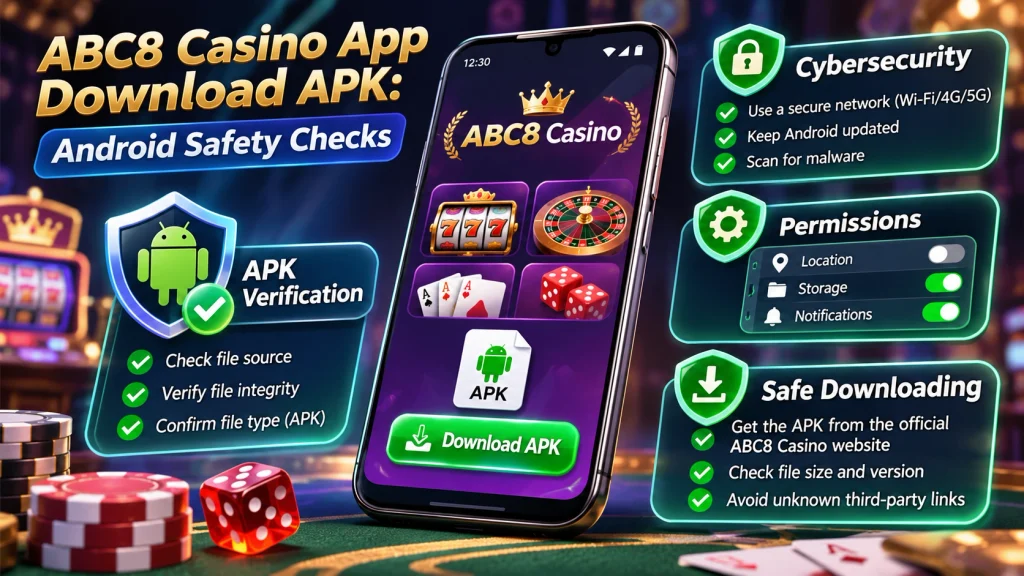
Android settings allow users to review installed applications and their permissions.
If the application is untrusted, removing unnecessary permissions and uninstalling it through the device’s normal controls may be appropriate.
Google Play Protect can also identify harmful applications and may recommend or perform removal.
Google Play Help
If a suspicious app has been granted powerful accessibility or device-administration privileges, additional investigation may be needed.
Do not follow instructions from the suspicious app that direct users to disable device security.
If the app resists ordinary removal, consult trusted device-manufacturer support or qualified security assistance rather than installing another unknown “cleaner” application.
Protecting Accounts After Possible Credential Exposure
Removing an application does not automatically undo previous disclosure of credentials.
If a user entered an account password or verification code into a suspicious app, the corresponding account may require protection.
Appropriate steps include using the genuine service’s official security procedures and changing any reused passwords through verified websites.
For example, if the same password was used for the casino account and an email account, both may require review.
A suspicious app that obtained access to notifications or SMS could also have exposed sensitive authentication information.
Where financial information may have been compromised, the user should use the financial provider’s legitimate support or security channels.
Do not submit additional passwords, OTPs, or identity documents to the suspected application.
Incident-response takeaway: Remove the suspicious software through trusted device controls and secure affected accounts separately. Uninstallation does not prove that earlier data exposure has been reversed.
Is the ABC8 Casino App Authorized in the Philippines?
Casino operating authorization and Android application security are separate matters. A gaming platform may claim to be licensed without proving that a particular APK is authentic, and a technically valid APK signature does not establish gambling authorization.
For ABC8 Casino, the exact operating company, website domain, and application publisher require independent verification.
Separating Website Claims From Regulatory Evidence
Some ABC8-branded websites display statements about gaming authorization.
Such statements should be distinguished from information published by the relevant regulator.
A website’s own licensing badge does not independently establish that the claimed authorization is valid or applies to the specific domain.
| Claim | Evidence needed |
| “Official ABC8 website” | Verifiable connection to the responsible operator |
| “PAGCOR licensed” | Current authoritative operator and domain record |
| “Official Android app” | Verified publisher and distribution source |
| “Secure APK” | Relevant independent technical evidence |
| “Malware-free download” | Appropriate assessment of the exact file; no scan guarantees complete safety |
A marketing statement should not be treated as independent evidence merely because it appears near a download button.
How to Verify Casino Operators and Domains
For Philippine online gaming services, users can consult PAGCOR Guarantee to check authorized gaming-platform information.
The relevant comparison should concern the exact domain and legal operating company.
For example, a website using the ABC8 name should not automatically be assumed to share authorization with another site using similar branding.
A practical verification should identify:
The complete website address.
The legal entity responsible for the gaming service.
The applicable licensing authority.
Whether current official records support the claimed relationship.
Whether the claimed APK publisher can independently be linked to that operator.
If the regulatory or publisher relationship remains unclear, the website’s download claims should not be accepted as verified.
Why Gaming Authorization Does Not Prove APK Safety
Licensing evaluates a gaming operator under an applicable regulatory framework.
APK security concerns the software package and its behavior on an Android device.
These are different forms of verification.
For example, an authorized casino’s brand could be copied by an unrelated website distributing a malicious application.
Even if the legitimate operator is licensed, that does not validate the imitation APK.
Conversely, an Android package can have a valid cryptographic signature without its publisher having authorization to offer gambling services in the Philippines.
| Verification layer | Main question |
| Gaming authorization | Is the operator permitted to provide the relevant gaming service? |
| Website authenticity | Does the domain belong to that operator? |
| App authenticity | Did the verified publisher distribute this package? |
| File integrity | Does the file match an authenticated release? |
| Device security | Does the application show potentially harmful behavior? |
| Permissions | Are its requested device capabilities justified? |
Authorization takeaway: Verify the casino operator and the APK independently. Neither regulatory branding nor technical signing alone is sufficient to establish both legitimacy and software safety.
ABC8 Casino APK Safety Checklist for Android Users
Before treating an ABC8 Casino APK as trustworthy, establish its source, publisher, technical identity, permission requirements, and Android security status.
If an essential piece of evidence is unavailable, that uncertainty should remain visible rather than being replaced by a claim of guaranteed safety.
A Download Source and Publisher Checklist
The first checks concern who is responsible for the website and software.
| Check | Question | Why it matters |
| Domain | Is this the verified operator’s website? | Prevents brand-name confusion |
| Legal entity | Can the company be identified? | Establishes responsibility |
| Download destination | Where is the APK actually hosted? | Exposes unexpected redirects |
| Publisher | Who released the application? | Connects software to its origin |
| Package identifier | Is it consistent with trusted release information? | Supports application identity |
| Signing certificate | Does it match an authenticated signing history? | Supports release continuity |
For example, finding the same file on three unrelated APK mirrors does not establish that those files came from the legitimate operator.
Independent publisher verification is still necessary.
For example, an APK can pass signature validation and still contain harmful functionality.
Similarly, a file can match a trusted checksum while the supposed publisher’s website itself is fraudulent.
Verification is stronger when independent sources establish the same publisher and release identity.
When to Stop the Installation and Seek Verification
Some warning signs justify ending the installation attempt rather than trying alternative technical methods.
| Warning sign | Appropriate decision |
| Publisher cannot be verified | Do not treat the file as official |
| APK comes from an unexplained redirect | Investigate the destination |
| Play Protect identifies harmful behavior | Do not bypass the warning |
| App demands unrelated sensitive permissions | Stop and verify the purpose |
| Signing identity conflicts with a trusted installation | Confirm the release before replacing anything |
| Download site asks users to disable security protection | Treat the instruction as a serious warning sign |
| Licensing claims cannot be substantiated | Do not assume the gaming service is authorized |
| Support requests passwords or OTPs | Do not provide the credentials |
The purpose of these checks is to avoid installing software whose identity or behavior cannot be established.
Checklist takeaway: A trustworthy APK requires evidence connecting the exact file to a legitimate publisher. If that connection cannot be made, installation should not be treated as safe.
faq
1. Where Can I Find an Official ABC8 Casino APK?
An independently verified official ABC8 Casino APK download address has not been established in this review.
Several websites use ABC8 or similar casino branding, but matching names and download buttons do not prove that they belong to the same operator.
Before trusting an APK, verify the website’s legal operating company, application publisher, and final download destination.
Where available, compare the app’s package identifier and signing certificate with information authenticated by the publisher.
Avoid treating third-party APK mirrors, QR codes, or search advertisements as proof of an official release.
2. Is It Safe to Install ABC8 APK Outside Google Play?
Installing an APK outside Google Play introduces additional source-verification and security considerations.
Android allows applications to be distributed outside the Play Store, but the file’s authenticity must still be established.
Before considering an ABC8 APK, check the publisher, download domain, signing information, and requested permissions.
Keep Google Play Protect enabled and take security warnings seriously.
An APK is not automatically malicious because it is sideloaded, but a successful installation or clean scan does not guarantee that the application is safe.
If the publisher cannot be verified, avoid installing the file.
3. Why Does Play Protect Block an ABC8 APK?
Google Play Protect may warn about or block an APK when it detects potentially harmful behavior or security risks.
Some unfamiliar applications may also trigger additional scanning.
A warning does not necessarily identify the legitimate publisher of the file, nor does it automatically establish that every ABC8-branded application is malicious.
However, it should not be ignored.
Do not disable Play Protect merely because a website instructs you to complete an installation.
Instead, verify the APK’s source and publisher, examine the warning, and avoid installing software whose authenticity or safety remains uncertain.