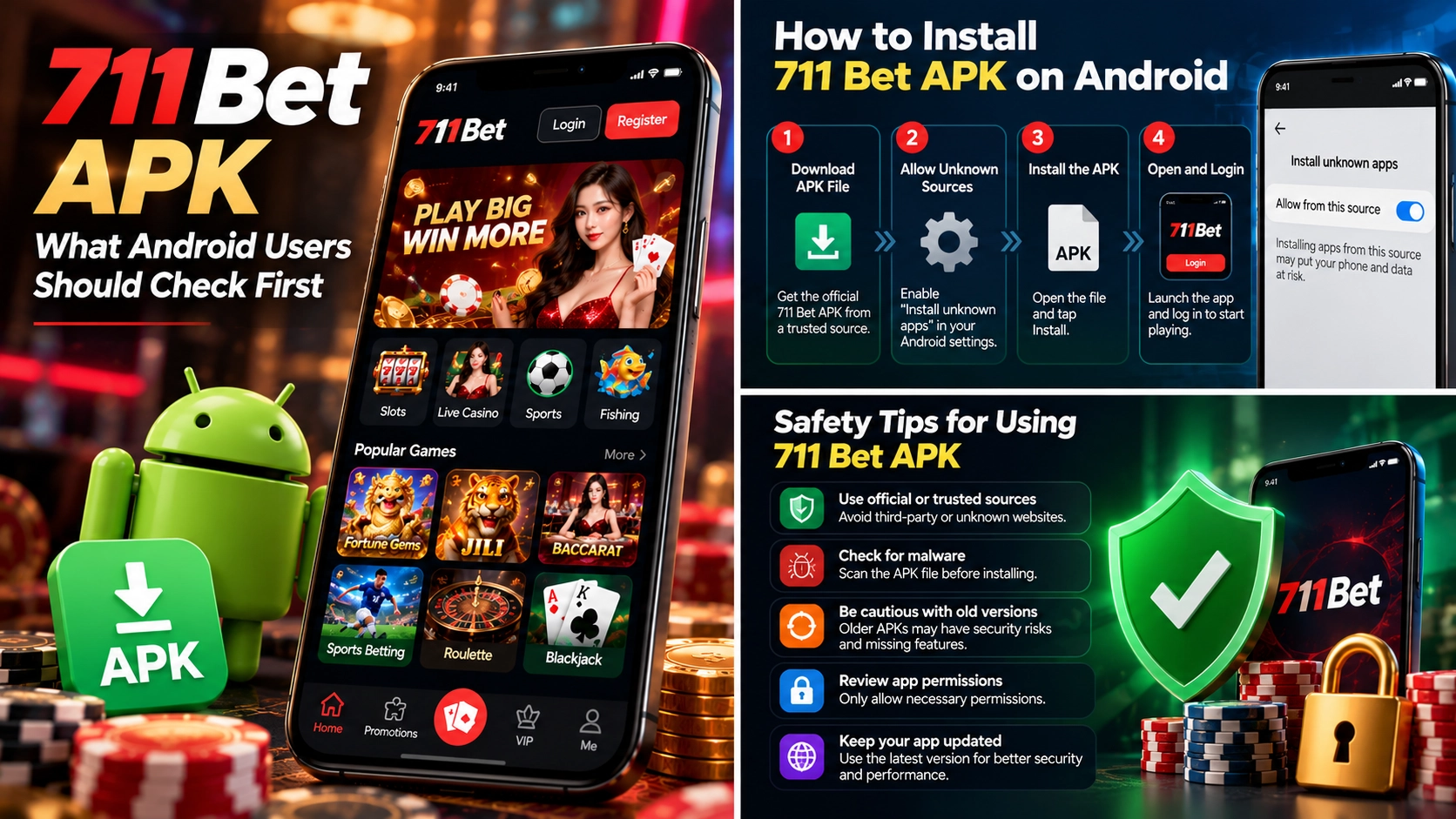
711 Bet APK: What Android Users Should Check First
The 711 Bet APK is an Android installation file associated with searches for the 711 Bet betting application. Before downloading it, users should verify the app publisher, download source, Android compatibility, and requested permissions. Not every website offering a 711 Bet APK can be confirmed as an official distributor, and similarly named applications may belong to different services. This guide explains how APK files work, where to look for trustworthy download information, and how to recognize potential risks before installing software or entering account credentials.
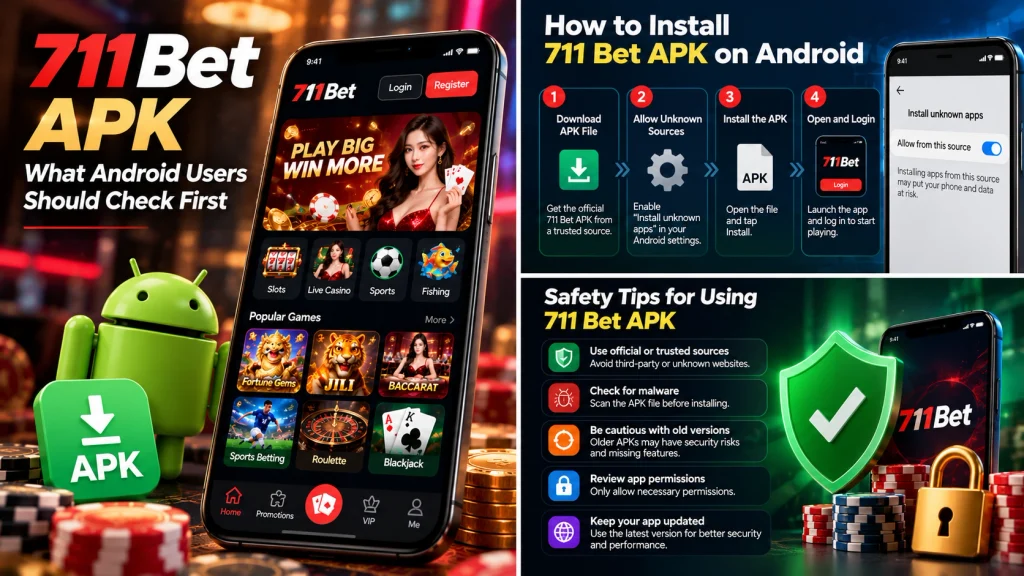
What Is the 711 Bet APK?
An APK, short for Android Package Kit, is the file format used to distribute and install applications on Android devices. When users search for 711 bet apk, they are generally looking for an installation package that allows them to access the 711 Bet service through a dedicated mobile application.
However, an APK file containing the 711 Bet name is not automatically an official application. The actual developer, package identity, and relationship to the intended betting operator must be established before the file can be considered trustworthy.
This distinction matters because Android applications can be distributed outside traditional app stores. Although this provides flexibility, it also makes it possible for unauthorized websites to distribute applications using familiar names or logos.
For first-time users, understanding what an APK does is the starting point for evaluating whether installation is necessary.
Understanding APK Files on Android
An APK contains the components Android needs to install an application, including its program code, resources, configuration information, and digital signature.
Unlike a standard website, an installed application can interact with certain device features according to the permissions granted and the restrictions enforced by Android.
For example, an application might request permission to send notifications. Other applications may request access to the camera or storage when those functions are necessary for their services.
The important point is that permissions should correspond to legitimate application functions.
Here is how the main components of an APK affect installation:
| APK component | Purpose | Why it matters |
| Package name | Identifies the application on Android | Helps distinguish apps with similar display names |
| Version information | Identifies the software release | Helps determine update compatibility |
| Digital signature | Identifies the application’s signing identity | Supports installation and update integrity checks |
| Permissions | Declares access to certain device functions | Helps users evaluate unnecessary access requests |
| App resources | Contains interface elements and other assets | Affects application appearance and functionality |
Consider two APK files that both display the name 711 Bet after installation.
Their icons may look identical, but they could have different package names, digital signatures, or developers.
This means visual appearance alone cannot confirm that both files come from the same publisher.
Android uses application signatures as part of its update and integrity mechanisms. An application signed with an incompatible certificate generally cannot be installed as a normal update over an existing application with the same package identity.
For users evaluating a 711 Bet APK download, publisher verification matters more than the appearance of the installation screen.
How the 711 Bet APK Differs From Browser Access
Installing an Android application and accessing a betting website through a mobile browser are two different approaches.
A browser accesses a website through an internet address. An APK installs a separate application on the device, which may connect to online services through its own interface.
Both approaches can provide mobile functionality, but they involve different maintenance and security considerations.
| Feature | Android APK application | Mobile browser |
| Installation | Requires installing an application | Usually no additional installation |
| Device storage | Uses storage for application files and data | Primarily uses browser storage and cache |
| Updates | May require application updates | Website changes are delivered by the server |
| Permissions | May request device-level permissions | Generally uses browser-managed website permissions |
| Access method | Open an installed application | Enter or follow a website address |
| Source verification | Verify publisher, package, and distributor | Verify domain and website operator |
For example, someone using a browser may access a mobile-compatible website directly through Chrome without installing another application.
An installed app may provide a dedicated navigation interface or device-specific features, but those benefits depend on how the software was developed.
An APK does not automatically offer faster performance, stronger security, or more gaming features than a browser.
A poorly maintained application can create compatibility problems even when the corresponding website works correctly.
There is also a difference in how updates are delivered.
A mobile website can change when its operator updates the server. A separately distributed APK may require users to install an updated version, depending on its distribution and update mechanism.
For 711 Bet users, the practical question is whether a verified official application offers a necessary benefit that cannot be obtained through the operator’s mobile website.
Until the official publisher and distribution channel are confirmed, installing an APK should not be treated as a required step.
What Should First-Time Android Users Know?
First-time Android users should understand that installing an APK from outside a trusted application store requires additional attention.
Android includes security controls intended to reduce the risks associated with applications from unknown sources.
For example, Android 8.0 and later versions use a per-source installation permission system. Instead of allowing every external application installation through one universal setting, Android can require permission for the specific app attempting to initiate the installation.
This distinction helps users understand why a downloaded APK may trigger an installation warning.
A warning should not be dismissed automatically.
Before considering installation, check these four details:
1. Confirm the application publisher
Find the legal operator associated with the intended 711 Bet service and determine whether it identifies a particular Android application as its own.
A matching app name is not sufficient evidence.
2. Check device compatibility
Applications can require minimum Android versions or particular device architectures.
An APK built for an unsupported Android version may fail to install or operate correctly.
3. Review the installation source
A file downloaded from an unfamiliar website or shared through an unsolicited message carries additional uncertainty.
Even when a download page uses HTTPS, the encrypted connection does not prove the file itself is legitimate.
4. Keep Android security protections enabled
Google Play Protect can examine applications for potentially harmful behavior, including some apps installed outside Google Play.
If Android or Play Protect identifies a serious threat, users should not disable protections merely to complete installation.
For example, imagine a user downloads an APK advertised as the latest 711 Bet application, but Android displays a warning about a potentially harmful app.
The appropriate response is to stop and investigate the publisher, distribution source, and warning details—not assume that every warning is an obstacle to bypass.
The safety of an application should be established before account credentials or payment information are entered.
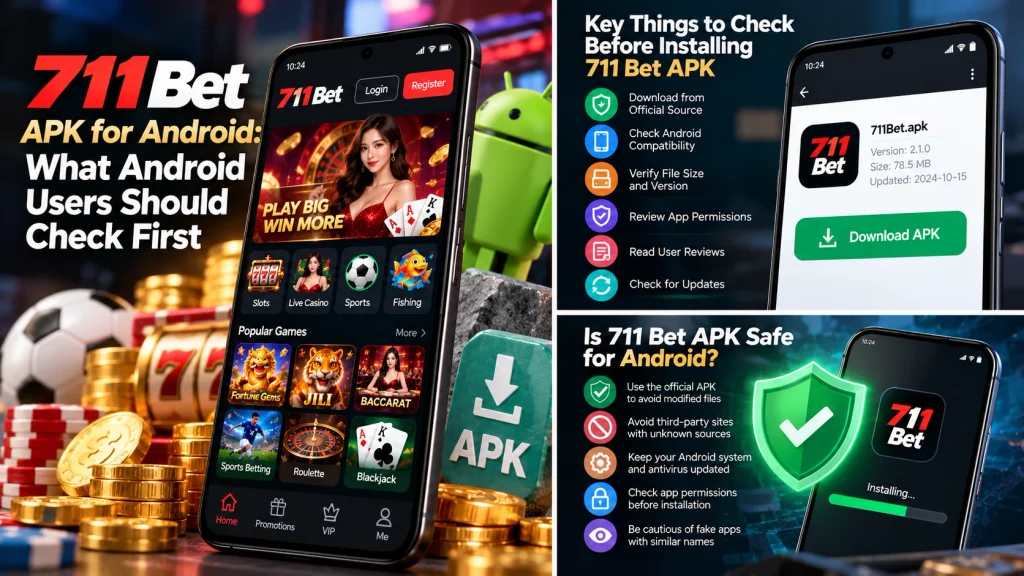
Where Can You Find a Verified 711 Bet APK Download?
Finding a trustworthy 711 bet apk download requires more than locating a website with a download button.
A legitimate distribution source should be traceable to the actual application publisher and the operator responsible for the service.
Search results may contain third-party download pages, promotional websites, and similarly named applications. Their existence does not establish that they distribute an authorized version.
At present, a specific official APK download URL for the intended 711 Bet service has not been established in this guide. Users should therefore verify the publisher and domain rather than relying on an unconfirmed direct download link.
Identifying the Official App Publisher
An application’s publisher is the organization or developer responsible for distributing and maintaining the software.
For a betting application, identifying the publisher is especially important because the software may be associated with personal accounts, financial information, and identity verification.
The first step is to determine which company operates the intended 711 Bet service.
Once that information has been established, users can compare it with the developer details associated with the application.
Useful identifiers include:
Legal company or developer name.
Official website or developer contact information.
Application package name.
Version information and update history.
Published privacy policy.
Verified application distribution channel.
For example, an application called 711 Bet might list a developer whose name has no obvious relationship to the betting platform.
That difference does not automatically prove the app is fraudulent. However, it creates a question that should be resolved before installation.
A useful review should distinguish an application verified by the operator from one that merely uses the operator’s branding.
Users should also avoid treating download counts or positive comments as conclusive evidence of authenticity. Such figures do not independently establish the publisher’s relationship to a gaming operator.
Checking Download Links and Website Domains
The domain hosting an APK download should be examined carefully.
A familiar logo, promotional banner, or similarly spelled web address can create the impression of an official website without establishing any genuine connection.
When examining a download page, users should compare the domain with the website identified by the legitimate operator.
Several details deserve attention.
| Website detail | What to check | Potential concern |
| Domain spelling | Exact address and unexpected variations | Imitation websites |
| Operator information | Published company identity | Unclear ownership |
| Download destination | Where the APK actually comes from | Redirects to unrelated file hosts |
| Security information | Publisher and app version details | Missing release information |
| Contact channels | Verifiable support information | Unofficial messaging accounts |
For example, a download button may appear on one website but redirect users to another domain or an unrelated file-sharing service.
That redirect is not necessarily malicious, but it makes the original file source harder to establish.
Users should confirm that the final download destination is authorized by the application publisher.
A direct APK file should not be considered trustworthy simply because the referring page appears professional.
If the official operator does not publish a verified download source, users should avoid assuming that a third-party copy is equivalent.
Recognizing Fake or Modified APK Files
Fake or modified APK files can imitate legitimate applications while changing how the software behaves.
An unauthorized application might display familiar branding but request unnecessary permissions, show misleading account information, or attempt to collect credentials.
Not every third-party APK is malicious, but unauthorized distribution removes an important layer of confidence about the file’s origin.
Several warning signs deserve attention.
Unrealistic claims
Download pages advertising guaranteed wins, unlimited balances, or permanently unlocked financial rewards should not be trusted.
These promises do not establish legitimate application functionality.
Unexpected permissions
An application requesting access to SMS messages, contacts, or unrelated device functions without a clear explanation deserves additional scrutiny.
Requests to disable security protections
Instructions demanding that users turn off Play Protect or ignore serious malware warnings are a major concern.
Unusual login procedures
A newly installed app asking users to provide credentials through unrelated messaging services or external forms should not be treated as legitimate merely because it resembles the expected interface.
Unclear update history
A file described as the newest version without identifying its publisher, release number, or distribution history offers little evidence of authenticity.
For example, suppose two websites advertise a 711 Bet APK with the same visible name but different file sizes.
Different file sizes alone do not establish that either is malicious. Application releases can vary because of updates, resources, or packaging differences.
However, the inconsistency is a reason to verify the files against an authentic publisher-controlled release.
The central principle is simple: an application’s authenticity should be established through its verified source and publisher, not through its filename, icon, or promotional description.
How Should You Check a 711 Bet APK Before Installing?
Before installing a 711 bet apk, Android users should verify three essential details: device compatibility, application permissions, and security scan results.
These checks help identify technical problems and suspicious software behavior before an application receives access to the device.
However, passing these checks does not automatically establish that an app belongs to the legitimate 711 Bet operator. Technical safety and publisher authenticity are separate considerations.
Checking the App Version and Android Compatibility
Android applications have specific technical requirements that determine whether they can be installed on a device.
An APK may require a minimum Android version, a particular processor architecture, or features that are unavailable on older smartphones.
For example, an application requiring Android 10 may not install on a device running Android 8.
This incompatibility does not necessarily mean the APK is malicious. It may simply mean the device does not meet the application’s requirements.
Before installation, users should check:
| Compatibility factor | What it means | Possible problem |
| Minimum Android version | Oldest supported operating system | Installation blocked on older devices |
| CPU architecture | Processor type supported by the app | Incompatible installation package |
| App version | Specific software release | Outdated or incompatible build |
| Available storage | Space required for installation and data | Insufficient storage |
| Digital signature | Signing identity used by the publisher | Update installation conflict |
To check the Android version on many devices, open Settings → About phone → Android version. Menu names may differ by manufacturer.
The application version should be compared with information supplied by the verified publisher.
Users should not assume that the APK with the highest version number is authentic. An unauthorized distributor can place an arbitrary version label on a download page.
For 711 Bet APK users, the current official version remains something to verify through the legitimate publisher.
Reviewing App Permissions and Security Warnings
Application permissions determine which protected device features an app can access.
Android separates certain sensitive permissions from ordinary application functions. Depending on the Android version, users may be asked to approve permissions when a feature is first used.
For example, a legitimate identity verification process might require camera access to capture a document.
That does not mean every betting application needs continuous access to the camera.
The important question is whether the requested permission matches an understandable function.
| Permission | Possible legitimate purpose | What deserves attention |
| Camera | Identity verification | Requests without a related feature |
| Notifications | Account or service alerts | Misleading or excessive notifications |
| Photos and files | Selecting verification documents | Unnecessary broad access |
| Location | Location-based service restrictions | Collection without a clear explanation |
| Contacts | No obvious general need for betting access | Unexplained access to personal contacts |
| SMS | Certain verification-related functions | Reading messages without a clear necessity |
Permissions must be considered in context. A request does not automatically establish malicious behavior, but unexplained access to sensitive information is a reason to investigate.
Users can review many permissions through Android’s application settings.
If an app requires unusual access before explaining its purpose, installation should not continue until the request is understood.
Using Google Play Protect to Check APK Files
Google Play Protect is an Android security service designed to help detect potentially harmful applications.
It can examine apps obtained from Google Play and certain apps installed from other sources.
Users can generally access Play Protect through the Google Play Store’s profile menu and open its security status or scanning options.
When evaluating a downloaded APK, Play Protect may:
Identify potentially harmful application behavior.
Warn about known security concerns.
Recommend avoiding or removing suspicious applications.
Apply additional checks in supported circumstances.
However, a scan that reports no known threats is not a guarantee that an application is completely safe.
Security tools may not detect every emerging threat, and they do not independently establish whether a betting operator is legally authorized.
For example, an APK could pass an automated security scan while still being distributed by an unrelated company using the 711 Bet name.
That is why users should combine security scanning with publisher and domain verification.
If Play Protect issues a serious warning, the appropriate response is to stop and investigate rather than disable the protection to force installation.
How Does APK Installation Work on Android?
Android can install applications from approved distribution channels and, subject to system restrictions, compatible APK files from other sources.
The installation process involves checking the package, validating its technical requirements, and applying relevant security controls.
For the 711 bet apk install search intent, understanding these stages is more useful than following instructions that bypass device protections.
Understanding Android APK Installation Requirements
Android installations depend on the operating system version and the application requesting the installation.
On Android 8.0 and later, permission to initiate installation from outside an application store is generally managed for the specific source application.
For example, the browser or file manager opening an APK may need permission to request installation.
This permission does not mean that every downloaded application is trustworthy.
Users should only consider external installation when the file is from an independently verified publisher and the device reports no unresolved security concern.
A safe preparation process involves confirming the application source, checking compatibility, reviewing the permissions, and ensuring the operating system is updated.
There is no reason to disable security scanning simply to install an unfamiliar gaming application.
What Happens When Android Blocks an Installation?
Android may prevent installation for several reasons.
A blocked installation could indicate an incompatible application, an invalid package, an authorization issue, or a security concern.
The wording of the warning matters.
For example, an App not installed message can have a different cause from a warning that an application may be harmful.
Users should examine the specific message rather than assume that every failed installation has the same solution.
If Android identifies the file as potentially dangerous, users should avoid bypassing the warning.
If the problem is technical, such as insufficient storage or an unsupported Android version, the appropriate response is to check the documented application requirements.
The file should not be modified or repackaged merely to make it install.
Checking the Installed App Before Signing In
Installation success does not prove that an application is authentic.
Before entering account credentials, users should review the installed app’s identity and behavior.
Useful checks include confirming the app’s publisher information where available, inspecting requested permissions, and observing whether it opens unexpected websites or asks for unrelated information.
For example, an application presenting a familiar casino logo but immediately redirecting to an unrelated login domain requires additional verification.
Users should not enter passwords, OTPs, payment information, or identity documents until the operator and application source have been established.
If the software behaves unexpectedly, the safer response is to stop using it and investigate its origin.
Why Is the 711 Bet APK Not Installing?
Installation errors can occur even when an APK file is not malicious. The problem may involve Android compatibility, incomplete downloads, insufficient storage, or a conflict with an existing application.
For users who encounter a 711 bet apk install error, the first step is to identify the message shown by Android.
The error itself usually provides a better starting point than repeatedly downloading different APK files.
APK File Cannot Be Opened or Parsed
An error such as There was a problem parsing the package generally indicates that Android cannot process the installation file correctly.
Possible reasons include an incomplete download, an incompatible package format, or application requirements that the device does not satisfy.
For example, downloading only part of an APK because of an interrupted connection can leave the file unusable.
A sensible troubleshooting process is to check the device’s Android version, examine the file’s source, and compare its version requirements with the publisher’s documentation.
If the original file cannot be verified, downloading another copy from an unfamiliar website is not a reliable solution.
App Not Installed and Storage Problems
The message App not installed can have several causes.
One possibility is insufficient available storage. Android needs space not only for the downloaded installation package but also for extracting and storing application components.
Another possibility is a package conflict with an application already installed on the device.
| Problem | Possible cause | Recommended check |
| APK cannot be parsed | Incompatible or incomplete file | Android requirements and file integrity |
| App not installed | Storage or package conflict | Available storage and installed apps |
| Installation blocked | Security restriction | Exact Android warning |
| App opens and closes | Compatibility or software defect | Version requirements and system updates |
| App fails to update | Signing or package mismatch | Verified publisher and existing installation |
For example, a device with only a small amount of free storage may download an APK successfully but fail during installation.
Removing unnecessary files or unused applications may resolve a genuine storage problem.
However, users should not delete an existing application or its data merely because a different APK claims to be a newer version.
Doing so may remove locally stored information or make account recovery more difficult.
Android Version or App Signature Conflicts
Android uses application signing information to help maintain the integrity of installed software.
Normally, an update must be compatible with the signing identity of the existing application. If the signing certificates are incompatible, Android may reject the update.
Android Developers
For example, imagine an existing app and a downloaded replacement sharing the same displayed name but using different signing certificates.
Android may prevent the new APK from replacing the installed application.
This situation should not automatically be resolved by uninstalling the original app. The mismatch could indicate that the replacement came from a different publisher.
Users should confirm the official update source before making changes.
How Can You Update the 711 Bet APK?
Updating an Android application can provide bug fixes, compatibility improvements, and security patches.
However, installing the newest-looking file found through search results is not a dependable update method.
For searches involving 711 bet apk latest version, the most important information is the publisher’s verified release history, not the version number displayed on a third-party download page.
Checking Whether a New Version Is Available
An application publisher may provide a version number, release date, update notes, and supported Android requirements.
These details help users understand whether an update is relevant to their device.
Before considering an update, check that the release information comes from the verified publisher.
For example, a third-party page advertising version 5.0 does not necessarily offer a newer or more legitimate release than a publisher’s version 4.8.
Version numbering is controlled by the developer and cannot independently establish authenticity.
An official 711 Bet APK version number has not been established here, so no particular release should be described as the latest.
Updating an Existing Android Installation
Updating an installed application normally requires a compatible package and signing identity.
According to Android’s application-signing documentation, the system uses signing certificates when determining whether an installation can update an existing app.
Android Developers
A compatible update should generally preserve the application’s installed identity and data, although application-specific changes may affect settings or functionality.
If Android reports a signing conflict, users should stop and verify the publisher.
Uninstalling the original application to force a differently signed APK onto the device is not an appropriate first response.
When the publisher provides an approved update channel, users should follow that channel instead of relying on unrelated APK archives.
Why You Should Avoid Unverified Old Versions
Some download websites advertise older versions of applications as alternatives when a newer APK fails to install.
However, older software may lack security fixes, support outdated Android components, or use account interfaces that are no longer supported.
For example, an application built several years earlier may fail to communicate correctly with a service that has updated its authentication requirements.
An older app might also have unresolved vulnerabilities that were addressed in later releases.
If the current authorized application does not support a device, installing an unverified old version is not necessarily a safe workaround.
A verified browser-based option may be preferable when supported by the legitimate operator.
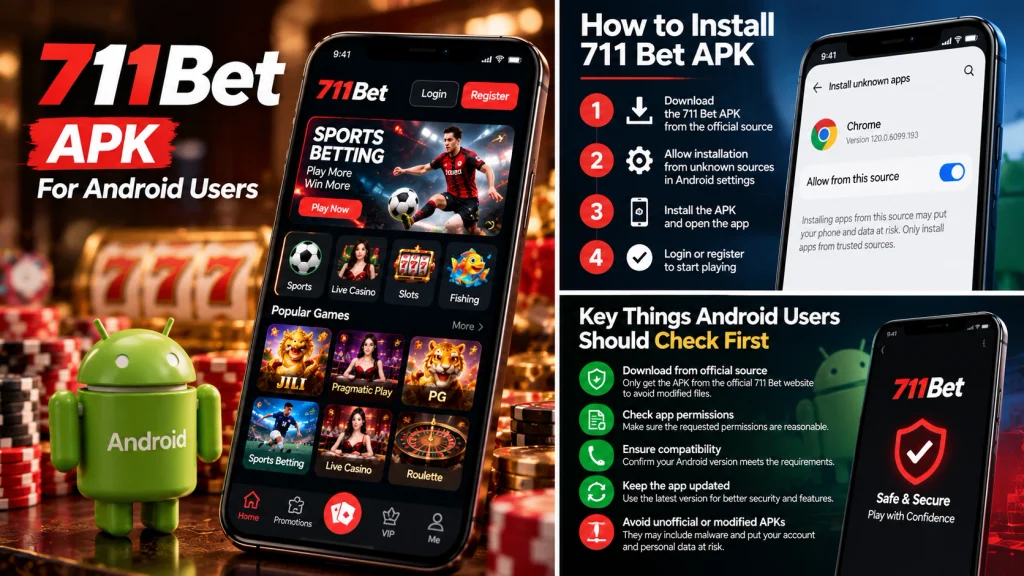
How Do Login and Account Access Work in the 711 Bet App?
The login experience depends on the actual 711 Bet application and the operator providing the account service.
Some mobile applications use passwords, while others incorporate email verification, phone verification, or additional authentication steps.
These mechanisms should not be assumed to be identical across similarly named betting services.
Understanding Mobile Login Requirements
A mobile login system generally connects the application to an account maintained by the service operator.
Depending on the platform, users may need a registered email address, phone number, username, or password.
For example, an app could require a verification code after a password is entered from a new device.
Another app might use a different authentication sequence.
The exact procedure for 711 Bet should be confirmed through the verified operator’s account documentation.
Users should also check whether an account created through a website can be accessed through the corresponding official mobile application.
That compatibility should not be assumed when the website and APK publisher have not been matched.
Handling OTP and Password Problems
A one-time password is designed to provide an additional authentication check.
If an OTP fails to arrive, possible causes include incorrect contact details, network delays, or an expired verification session.
Users should request a new code only through the platform’s verified authentication system.
Password recovery should follow the same principle.
For example, a message claiming that a support representative needs an OTP to fix a login issue should be treated as suspicious.
One-time codes are intended for authentication, not for disclosure to third parties.
If access remains unavailable, users should contact the legitimate operator through a confirmed support channel.
Protecting Account and Payment Information
An application connected to an online betting account may handle personal and financial information.
This makes account protection particularly important.
Users should examine whether the application provides clear security settings, transaction history, and official support information.
They should also avoid entering sensitive details through unexpected external pages or forms opened by an unfamiliar APK.
If an installed app redirects to a domain that does not match the verified operator, users should investigate the discrepancy before proceeding.
A recognizable logo is not a substitute for a trustworthy publisher and authentication system.
Is the 711 Bet APK Safe for Android Users?
The safety of a 711 bet apk depends on its origin, software integrity, requested permissions, and the operator behind the service.
An APK may be technically compatible with Android while still coming from an unauthorized publisher.
Likewise, a genuine application does not automatically establish that the betting service is authorized in every country.
These questions should be assessed separately.
Evaluating App Authenticity and Permissions
A trustworthy application should have an identifiable publisher and a distribution source connected to that publisher.
Users should also examine the permissions requested during installation and use.
Google explains that Play Protect checks installed apps and may warn users about harmful software, disable detected threats, or remove certain harmful applications.
Google Account Help
However, antivirus and application scanning cannot replace publisher verification.
For example, an application that passes a malware scan may still imitate an established gaming brand.
A complete evaluation should therefore consider both technical security and operator identity.
Identifying Suspicious Download Requests
Certain download-page behaviors deserve additional scrutiny.
An unfamiliar website might request personal information before allowing an APK to be downloaded.
Another might ask users to disable Android security protections or install additional software unrelated to the application.
These requests should not be accepted automatically.
Potential warning signs include:
Demands to disable Play Protect.
Requests for passwords or OTPs outside verified login channels.
Promises of guaranteed winnings.
Redirects to unrelated download websites.
Unexplained access to sensitive device information.
Google recommends keeping Play Protect enabled and using updated Android security protections.
Google Account Help
If a download source cannot be independently verified, avoiding the installation is preferable to experimenting with unknown software.
711 Bet APK vs. Mobile Browser: Which Is More Practical?
A dedicated Android application is not automatically more convenient than a mobile browser.
The practical choice depends on whether the verified operator supports both access methods and what functionality each provides.
For someone unfamiliar with APK installations, avoiding unnecessary software downloads also reduces the number of application publishers and permissions that must be evaluated.
Comparing Storage, Updates, and Accessibility
A browser-based service generally requires no separate APK installation.
An installed application uses additional device storage and may require software updates.
| Consideration | Android APK | Mobile browser |
| Installation | Required | Usually unnecessary |
| Storage usage | App files and data | Browser cache and website data |
| Updates | Depends on distribution method | Website updates handled by operator |
| Access | Installed app icon | Website address or bookmark |
| Permissions | May request Android app permissions | Browser-controlled website permissions |
| Source verification | Publisher and APK authenticity | Domain and operator identity |
For example, a user with limited device storage may prefer a mobile website if it provides all necessary features.
An application may be useful when it offers functionality that the website does not, but such benefits must be confirmed rather than assumed.
Comparing Security and Account Convenience
Neither an APK nor a browser is inherently secure in every situation.
A verified application distributed through an authorized channel may provide strong protections, while an APK from an unknown publisher can introduce unnecessary risks.
A browser avoids installing a separate application but still requires users to recognize legitimate domains and protect account credentials.
For example, opening a phishing website through Chrome is still dangerous even though no APK has been installed.
The safest available access method is the one supported by the verified operator and used with appropriate device and account protections.
Until an official 711 Bet Android publisher and download source are confirmed, readers should not assume that installing a third-party APK is necessary.
Faq
What is the 711 Bet APK?
The 711 Bet APK refers to an Android installation package associated with the 711 Bet mobile application. APK files allow compatible Android devices to install applications outside conventional app-store distribution. However, users should verify the application’s publisher, package identity, and download source before installation, as similarly named APK files may come from unrelated developers.
Where can I find a verified 711 Bet APK download?
A verified 711 Bet APK download should come from a distribution channel officially identified by the legitimate platform operator. Before downloading, confirm the website domain, application publisher, and available version details. An independently verified official download URL has not been established in this guide, so third-party APK links should not automatically be trusted.
Why won’t the 711 Bet APK install on my Android phone?
Installation may fail because of an incompatible Android version, insufficient storage, an incomplete APK file, or a digital-signature conflict with an existing application. Check the exact Android error message and compare your device specifications with the verified publisher’s requirements. Do not disable security protections simply to force an installation.