
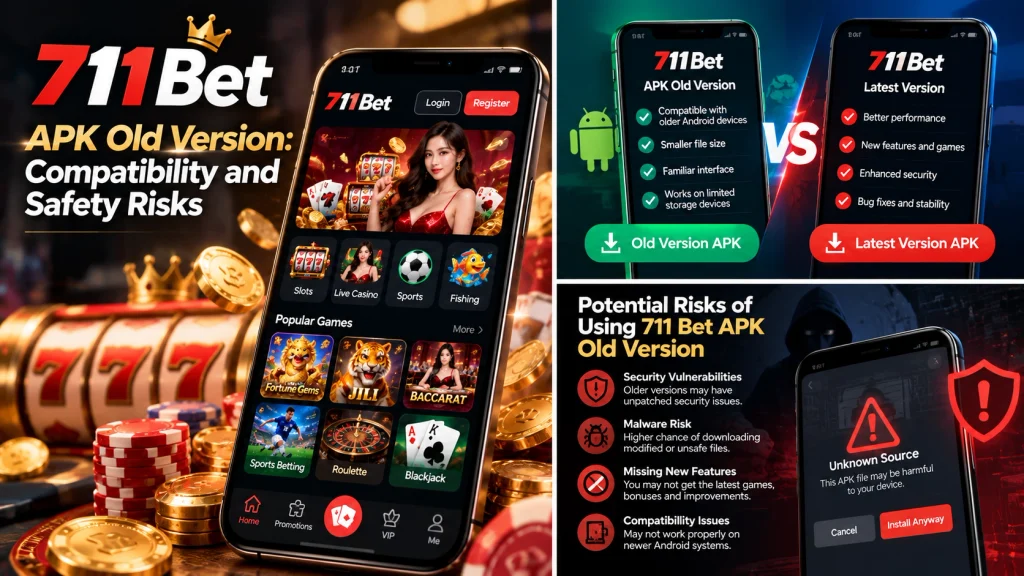
What Is the 711 Bet APK Old Version?
The 711 Bet APK old version refers to an earlier Android application package associated with the 711 Bet name. An APK is the installation file format used by Android, and different releases of the same application may contain changes to performance, security, compatibility, and account functionality.
An older APK is not necessarily easier to install or more reliable than a recent version. Its behavior depends on the Android operating system, the application’s technical requirements, and whether the service provider continues supporting that release.
For users searching for a 711 bet apk previous version, identifying an authentic historical release is the first challenge. A file labeled as an older version does not automatically belong to the original application publisher.
The official historical release list, specific version numbers, and supported Android requirements for the intended 711 Bet application have not been independently established. These details should be verified before treating any downloadable file as genuine.

How Older APK Releases Differ From Current Versions
Android applications change between releases for several reasons. Developers may fix bugs, update security components, improve compatibility, or change how the application communicates with its servers.
An older version may retain an interface that users recognize, but it can also lack improvements introduced in later releases.
Consider a hypothetical application that has three releases:
| Release | Example changes | Possible implications |
| Version 1.0 | Initial application features | Older interface and original functionality |
| Version 1.5 | Performance improvements and bug fixes | Better stability on supported devices |
| Version 2.0 | Updated authentication and security components | May require newer Android features |
These version numbers are illustrative and do not represent actual 711 Bet releases.
Two technical identifiers are particularly important when comparing APK files.
Version name
The version name is the label users commonly see, such as 1.0 or 2.5.1.
Developers choose this label, so it does not always provide a complete picture of how releases are ordered.
Version code
Android applications also use an internal version code, represented by versionCode.
This value helps Android distinguish application releases and enforce normal update rules.
For example, an installed application with version code 205 would generally not accept a package with version code 180 as a standard update.
That is a downgrade attempt rather than a routine update.
Another important detail is the application’s digital signature. Android uses signing certificates to check application identity and determine whether an installation can replace an existing application.
An APK that uses the same visible name but an incompatible signing identity may fail to install over the original software.
For 711 Bet APK users, these technical differences explain why simply finding an older file does not guarantee that it will work.
Why Android Users Look for Previous Versions
Users often search for historical APK releases after experiencing problems with a newer application.
The reason may be technical, related to device limitations, or connected to changes in the user interface.
Several situations are common.
1. The updated application no longer supports an older phone
An application update may raise the minimum supported Android version.
For example, an app that previously worked on Android 8 might introduce a later release requiring Android 10.
Users with older devices could find that the new version is incompatible.
However, returning to an older APK does not guarantee that the platform’s online services will continue supporting it.
2. A new version introduces performance problems
An application update can occasionally cause unexpected issues on particular devices.
These might include slower loading, increased memory usage, or crashes.
For example, a phone with limited RAM may struggle with a redesigned application containing larger images and more demanding interface components.
An older release may appear less demanding, but that does not establish that it is secure or compatible with current servers.
3. Familiar features or navigation have changed
Users may prefer a previous interface because they already know where important functions are located.
A redesigned menu can create confusion, especially when account settings or transaction records move to different sections.
This preference is understandable, but interface familiarity alone is not a sufficient reason to install software from an unverified source.
4. The updated application fails during installation
Some users search for an old APK after encountering an App not installed message.
However, the cause may be insufficient storage, a signing conflict, or an incomplete download rather than the newest version itself.
Installing an older file without diagnosing the original error may leave the problem unresolved.
When evaluating an older 711 Bet APK, it is more useful to identify the actual compatibility problem than to assume a previous version will automatically solve it.
What Information Is Needed to Identify an Authentic Release?
An authentic historical APK should be traceable to the application’s legitimate publisher.
The filename alone is not enough.
For example, a file named 711bet-old-version.apk tells users very little about who created it, when it was released, or whether it has been modified.
Several details provide a stronger basis for verification.
| Information | What it identifies | Why it matters |
| Package name | Android application identity | Helps distinguish unrelated apps using similar names |
| Version name | Human-readable release label | Helps recognize a specific release |
| Version code | Internal release identifier | Helps establish update and downgrade relationships |
| Signing certificate | Application signing identity | Supports publisher continuity checks |
| Release date | When a version was distributed | Helps establish historical context |
| SHA-256 checksum | Cryptographic fingerprint of a file | Helps compare files with an authentic reference |
| Official publisher | Organization responsible for the app | Establishes the intended distribution source |
A SHA-256 checksum can be particularly useful when an official publisher provides a known reference value.
For example, if two APK files produce different SHA-256 checksums, their contents are not identical.
However, matching a checksum published by an unknown download website does not independently prove that the file is official. The reference checksum must come from a trustworthy source.
The same principle applies to digital signatures.
A signature can help establish continuity with a known application, but its meaning depends on whether the original publisher’s signing identity has been verified.
For users investigating the 711 Bet APK old version, these technical identifiers are more reliable than download-page descriptions such as original file, 100% safe, or official old version.
Where Can You Find a Verified 711 Bet APK Old Version?
Finding a trustworthy historical APK requires confirming that the file came from an authorized publisher and has not been modified.
Search engines may display third-party APK archives, promotional pages, and websites offering older application packages. However, a historical download listing is not proof that the file is genuine.
For the 711 bet old apk download search intent, the central question is whether an earlier release can be traced to the operator responsible for the intended application.
An independently verified official archive of historical 711 Bet APK releases has not been established here. No particular third-party download should therefore be described as an authorized old version.
Checking Official Historical Release Information
The most dependable starting point is the application’s verified publisher.
Some developers maintain release histories, archived installation packages, or documentation explaining which versions remain supported.
Other developers distribute only the current application version.
Users should look for three types of information.
Publisher-controlled release records
A release history may identify version numbers, publication dates, supported Android versions, and notable changes.
For example, a changelog might state that a particular release fixed an Android 9 compatibility problem.
That information would help users understand whether the release addresses their device issue.
Official distribution information
The publisher may identify an approved application store, website, or managed distribution channel.
If the operator does not offer historical APK files, users should not assume that copies on unrelated websites are equivalent.
Support and compatibility notices
Some applications eventually discontinue support for older releases.
For example, a developer may require a newer authentication component after changing its server infrastructure.
An old APK could still install successfully while failing to sign in or connect.
Before using a historical application, users should therefore verify both the software’s authenticity and whether its online services remain supported.
Comparing APK Package Names and Signing Certificates
Two APK files can display the same application name while having different technical identities.
Android package names help identify installed applications, while signing certificates support integrity and update compatibility checks.
Suppose a user already has an application installed and finds an older APK advertised under the same brand.
The files might have the following hypothetical characteristics:
| Identifier | Installed application | Downloaded older APK |
| Display name | 711 Bet | 711 Bet |
| Package name | com.example.betapp | com.example.betapp |
| Version code | 250 | 180 |
| Signing identity | Certificate A | Certificate B |
The identifiers above are fictional examples, not actual 711 Bet package information.
Although the display names and package names match, the signing identities differ.
Under ordinary Android update rules, a package signed with an incompatible certificate cannot replace the installed application as a normal update.
This may indicate that the files come from different publishers or that one package has been modified. There are also legitimate signing-key changes under supported Android mechanisms, so certificate differences should be interpreted using the publisher’s documented signing history.
A user should not automatically uninstall the existing application to make the downloaded file install.
Uninstalling can delete locally stored application data, and the replacement may still fail to connect to the service.
If the publisher cannot confirm the signing identity of an older release, the file’s authenticity remains uncertain.
Risks of Third-Party APK Archives
Third-party APK archives can make historical versions easier to locate, but their listings may introduce additional uncertainty.
A download page might display an old release number without providing its original publisher, signing certificate, or file verification details.
Some archives redistribute unmodified applications. Others may host altered packages or files submitted by unknown parties.
The presence of a download button does not distinguish between these situations.
Several risks should be considered.
Modified application code
An unauthorized party may alter an APK before redistributing it.
Such modifications could change application behavior, add unwanted components, or interfere with authentication.
Outdated security components
Even an authentic historical release may contain vulnerabilities fixed in later versions.
This is especially relevant for applications handling credentials, identity information, or financial activity.
Misleading version information
A website might label a file as version 2.0 even though its internal version information does not match that claim.
Without independently verified metadata, users cannot confidently determine whether the file represents the advertised release.
Unsupported server connections
An older application may depend on services or authentication methods that have since changed.
As a result, the software may install but fail to log in, load account information, or communicate with the operator’s servers.
Unverified distribution ownership
A third-party archive may have no established relationship with the original software developer.
For users searching for 711 bet apk old version, these issues make publisher verification more important than simply finding a downloadable file.
If an authentic historical version cannot be confirmed, installing an unknown APK creates unnecessary uncertainty. Users should instead investigate the original compatibility problem or check whether the verified operator provides a supported mobile browser alternative.
Is the 711 Bet APK Old Version Compatible With Your Phone?
An older APK does not automatically work better on an older Android phone. Compatibility depends on the application’s minimum Android requirements, processor architecture, and the security restrictions introduced in newer operating systems.
For users searching for 711 bet apk compatibility, the first step is to identify the exact Android version installed on their device and compare it with the requirements of the APK.
An application may install successfully but still fail during login or account synchronization. This happens because installation compatibility and server compatibility are two separate requirements.
Checking Minimum Android Version Requirements
Android applications specify technical requirements that determine which operating system versions they support.
Two important settings are minSdkVersion and targetSdkVersion.
minSdkVersion: The minimum Android API level required to run the application.
targetSdkVersion: The Android API level for which the application is designed and whose compatibility behaviors it generally follows.
For example, an application requiring Android 10 or later cannot normally be installed on a device running Android 8.
However, an application developed for Android 8 may also encounter restrictions when installed on a considerably newer operating system.
Android’s official documentation explains how these API-level settings affect installation and compatibility.
Android Developers
Consider the following hypothetical comparison:
| Device | APK minimum requirement | Expected compatibility |
| Android 8 | Android 7 | Meets minimum version requirement |
| Android 8 | Android 10 | Does not meet requirement |
| Android 12 | Android 10 | Meets minimum version requirement |
| Android 15 | Android 7 | May still face modern security restrictions |
Meeting the minimum version requirement does not guarantee successful installation or operation.
For example, Android 15 restricts installing applications targeting API levels below 24 through normal installation methods. An APK might therefore meet its minimum system requirement but still be blocked because it targets an obsolete Android API level.
CCNews
Users can usually check their system version through Settings → About Phone → Android Version, although the exact menu depends on the device manufacturer.
The official Android requirements of historical 711 Bet APK releases remain unverified, so compatibility cannot be guaranteed for a particular phone.
Understanding CPU Architecture and APK Compatibility
Android smartphones use different processor architectures.
Many modern devices use ARM64 processors, while older Android devices may use 32-bit ARM architectures. Some Android devices and emulators use x86-based architectures.
An APK containing native code may need libraries compatible with the device’s supported architecture.
For example, an application packaged only with 64-bit ARM native libraries may not run on a device that supports only 32-bit applications.
This distinction matters because two APK files can have the same application name and version but contain binaries intended for different devices.
Some Android applications are distributed as universal APKs. Others use architecture-specific packages or split APK components.
A user who downloads only one component of a split application may encounter installation problems because the complete set of required files is missing.
Before choosing an older APK, users should examine the official package format and supported architectures.
A smaller file size does not automatically indicate that an APK is outdated or incomplete, but unexplained differences are worth investigating.
Why an Older APK May Fail on a Newer Android Device
New Android releases introduce changes involving security, privacy, permissions, and background application behavior.
Older applications may depend on software interfaces that have changed or are no longer supported.
For example, Android 14 restricts normal installation of applications targeting API levels below 23. Android 15 raises this restriction to API level 24.
Android Developers+1
An older application may therefore work on an Android 11 phone but fail to install on an Android 15 device.
This does not automatically mean the file is damaged.
It may mean the application was built for an older Android environment.
Other compatibility problems can involve:
Outdated network security components.
Deprecated Android APIs.
Unsupported authentication libraries.
Changes to file access permissions.
Server-side requirements introduced after the APK was released.
For example, an old application may open normally but fail when attempting to establish an encrypted connection to its service.
The problem could be related to outdated networking components rather than the device’s available storage.
In these situations, a supported application release or an official mobile website is generally preferable to bypassing Android security restrictions.
Why Can’t You Install an Older 711 Bet APK?
Installation failure is one of the most common reasons users search for previous application versions.
However, the message App not installed does not identify a single cause.
It can indicate a downgrade restriction, an incompatible signature, insufficient storage, or an invalid installation package.
For users experiencing a 711 bet app downgrade problem, understanding Android’s version and signing rules is essential.
Understanding Android Downgrade Restrictions
Android normally prevents a lower-version application from replacing a higher-version installation through the standard update process.
For example, imagine the following hypothetical situation:
Installed application version code: 305
Downloaded APK version code: 210
Package name: Identical
Signing certificate: Compatible
Even with matching application identity and signing information, Android may reject the installation because the downloaded APK has an older version code.
This is a downgrade attempt rather than an update.
The restriction helps protect application consistency and reduces problems caused by replacing newer software with older components.
Users should not interpret a downgrade error as evidence that the APK is corrupted.
It may be functioning exactly as Android’s installation policy intends.
App Not Installed and Signature Conflicts
Android application signatures are used to verify installation identity and support trusted update relationships.
An update normally needs to satisfy the platform’s signing compatibility requirements.
Consider two files with identical package names but different signing identities.
Even if both display the same 711 Bet logo, Android may reject one as a replacement for the other.
Possible explanations include a different developer, unauthorized repackaging, or a legitimate signing-key transition that requires the publisher’s documented update mechanism.
A signature conflict should therefore be investigated rather than bypassed.
The following table distinguishes several common installation problems:
| Error or symptom | Possible cause | Appropriate check |
| App not installed | Version downgrade restriction | Compare version codes |
| Package conflict | Incompatible signing identity | Verify publisher and certificate history |
| Problem parsing package | Invalid or incompatible APK | Check file integrity and Android requirements |
| App unavailable for device | Unsupported Android version or architecture | Review compatibility information |
| App installs but crashes | Runtime incompatibility | Check system requirements and release support |
The official publisher is the most reliable source for resolving unexplained signature or update conflicts.
What Happens When You Uninstall the Current Version?
Uninstalling an Android application can remove its locally stored data.
Depending on the application, this may include cached files, locally saved preferences, downloaded resources, or other information maintained on the device.
Server-based account information may remain available after reinstalling, but that depends on the operator’s account system.
For example, uninstalling a betting application does not necessarily delete the account maintained by the operator.
However, it may remove stored login sessions and require the user to authenticate again.
Users should confirm that they can recover their accounts before uninstalling software.
They should also verify whether any important local data needs to be preserved.
Uninstalling a newer application simply to install an unidentified historical APK can introduce both data-loss and security risks.
A failed update or compatibility problem should be investigated before making changes that may be difficult to reverse.
What Security Risks Come With Older APK Files?
An authentic old APK may still contain security weaknesses that were corrected in later releases.
The fact that an application worked previously does not prove that it remains safe today.
For the 711 bet apk old version, risks should be evaluated in two categories: vulnerabilities associated with aging software and additional threats introduced by untrusted distribution sources.
Missing Security Updates and Unpatched Vulnerabilities
Application developers release security updates to address weaknesses in software components, authentication systems, and data handling.
An older APK may contain libraries that have since received security fixes.
For example, a historical application could rely on an outdated networking library that does not support current security requirements.
That weakness may affect how an application communicates with remote servers.
Older software may also use authentication methods that have been replaced with stronger mechanisms.
Security-related changes are not always visible to users because they may occur entirely within application code.
An interface that looks identical across two versions may have significant differences in its security implementation.
This is why a familiar layout should not be considered evidence that an older version is preferable.
Modified APKs and Untrusted Download Sources
An application can be modified after its original release.
A third-party distributor might change an APK’s code, insert additional components, or repackage it with another signing certificate.
Such modifications can be difficult to recognize from the application’s name or icon.
For example, a modified APK might display a legitimate-looking login screen while transmitting entered credentials to an unauthorized destination.
This is a hypothetical security scenario, not a verified issue involving 711 Bet.
Users should be cautious when download pages advertise:
Modified or unlocked account features.
Guaranteed winning functions.
Removed security restrictions.
Unlimited promotional balances.
Special versions available only through private messaging.
These claims provide no reliable evidence of application authenticity.
Google Play Protect can help identify potentially harmful applications, but a successful scan is not a guarantee that a file belongs to the intended publisher.
Checking the signing identity against a trustworthy publisher reference provides an additional form of verification.

Protecting Login Credentials and Personal Data
Older mobile applications may still request access to account credentials, payment information, and personal details.
That makes publisher verification especially important.
Before signing in through a historical APK, users should determine whether the application remains officially supported.
They should also check for unexpected redirects or authentication pages that do not correspond to the verified operator.
For example, an application that opens an unfamiliar external website and requests a password should not be trusted solely because the installed app has a recognizable name.
Users should never provide passwords or OTPs through unrelated messaging services.
If an installed APK appears suspicious, stop using it and review the device’s application permissions and security status.
Does the 711 Bet APK Old Version Still Support Login?
Successful installation does not guarantee that an older app can still access its online services.
An application may launch normally but fail during authentication because the operator has changed its server requirements.
For users evaluating a historical 711 Bet APK, account compatibility is therefore a separate concern from Android compatibility.
Why Older Apps May Stop Connecting to Servers
Mobile applications communicate with remote systems through network connections and application programming interfaces.
When an operator updates its services, it may change authentication endpoints, security requirements, or supported API versions.
An older application may not understand those changes.
For example, a hypothetical app version might attempt to contact a server endpoint that was discontinued after a major update.
The app could display a loading error or fail to retrieve account information even though the installation itself succeeded.
Other possible causes include outdated encryption components, expired certificates, or unsupported communication protocols.
These are general technical possibilities, not confirmed changes to 711 Bet’s systems.
OTP, Authentication, and Account Recovery Issues
Authentication methods can evolve over time.
An application that previously relied only on a password may no longer support newer account security requirements.
For example, a service might introduce additional verification for logins from unfamiliar devices.
An outdated application may not properly display the required verification interface.
This could cause a login attempt to fail even when the password is correct.
Users should rely on the verified operator’s current account recovery instructions rather than attempting to bypass security checks.
If an OTP is required, it should be entered only through a legitimate authentication interface.
The exact OTP and account recovery procedures for historical 711 Bet releases have not been independently established.
What to Check Before Entering Account Information
Before entering credentials into an older application, users should confirm three things.
First, the application should be traceable to the legitimate publisher.
Second, the operator should still support that version for account access.
Third, the application should connect to the intended service rather than an unfamiliar website or unauthorized login endpoint.
If these details cannot be verified, a supported official access method is preferable.
The convenience of retaining an older interface does not justify exposing account credentials to unknown software.
How Does the Old APK Compare With the Latest Version?
An older APK and a current application release may differ in compatibility, features, security maintenance, and server support.
An older version is not automatically faster, and a newer version is not guaranteed to perform better on every device.
The comparison should focus on specific technical requirements rather than assumptions about version age.
Compatibility and Performance Differences
Older applications may require fewer resources, especially when they contain simpler interfaces.
However, performance also depends on software optimization, network activity, and Android compatibility.
For example, a newer app might use additional memory because of redesigned features while also benefiting from improved caching or bug fixes.
The result depends on the particular release.
Without comparable testing on the same device, it would be inaccurate to claim that a particular 711 Bet APK version runs faster.
Security Updates and Feature Availability
The following table summarizes typical differences between historical and maintained application releases.
| Factor | Older APK | Current supported release |
| Security patches | May be outdated | More likely to include recent fixes |
| Android compatibility | May support older systems but face new restrictions | Depends on current requirements |
| Login compatibility | May use unsupported authentication methods | More likely to match current services |
| Interface | Retains historical design | May include redesigned navigation |
| Bug fixes | May lack later corrections | May include fixes for known issues |
| Distribution | Historical files may be difficult to verify | Generally easier to verify through publisher channels |
These are general software lifecycle differences, not measured results from actual 711 Bet versions.
Users should prioritize maintained software that is compatible with their devices and distributed through a verified source.
When Browser Access May Be More Practical
A mobile browser can sometimes provide access to a service without requiring an additional APK.
For example, a user whose device cannot install the supported application might be able to use the operator’s mobile website if that functionality is officially available.
Browser access can reduce problems involving APK signing conflicts and application downgrade restrictions.
However, it still requires verification of the website’s domain and operator.
A phishing website remains unsafe even when accessed through a trusted browser.
Whether the intended 711 Bet operator offers an equivalent mobile browser experience must be confirmed independently.
How Can You Troubleshoot 711 Bet APK Version Problems?
Troubleshooting should begin with the specific error rather than immediately searching for another APK.
Different symptoms point toward different causes.
A file that cannot be parsed, an app rejected during installation, and an app that crashes after launching require different investigations.
Fixing Package Parsing and Installation Errors
A package parsing error may indicate that the file is incomplete, malformed, or incompatible with the Android version.
An installation error may instead involve storage space, signing identity, or version restrictions.
The first step is to check the exact error message.
Next, examine the device’s Android version and available storage.
Then compare the APK’s requirements and authenticity with the verified publisher’s information.
For example, if an Android 8 device attempts to install an application requiring Android 10, freeing storage will not resolve the compatibility mismatch.
The problem is the minimum operating system requirement.
Identifying the correct cause avoids unnecessary device changes.
Identifying Version Conflicts Without Losing App Data
When an older APK cannot replace an installed application, the problem may involve version codes or signing certificates.
Users should avoid uninstalling the current application before understanding the conflict.
A practical comparison should include the installed app’s version information, the downloaded package’s version information, and the publisher’s documented update process.
If those details are unavailable, the safest decision is not to force the installation.
Preserving the current application and account recovery information reduces the risk of losing access or local data.
What to Do When the App Opens but Cannot Connect
An app that launches but cannot connect may be experiencing a network problem or a server compatibility issue.
The distinction matters.
A temporary network issue may affect multiple applications on the device.
An outdated API or authentication component may affect only one historical app release.
Users can check whether their general internet connection is functioning and whether the operator publishes any relevant service notices.
If the operator has discontinued support for older application versions, reinstalling the same outdated APK is unlikely to resolve the underlying problem.
Is Using an Older 711 Bet APK Worth the Risk?
Using an older APK may appear attractive when a newer release has compatibility problems or changes a familiar interface.
However, the decision should depend on the authenticity, maintenance status, and technical requirements of the specific release.
An unverified historical APK is not a dependable solution to an installation problem.
Situations Where an Older Version May Be Considered
A previous application release may be relevant when a legitimate publisher confirms that the version remains supported and provides an authorized distribution method.
For example, a developer might maintain an older compatible version for devices that cannot run its newest software.
In that situation, users can evaluate the older version using documented compatibility information and supported security procedures.
The situation is different when a historical APK is available only from an unknown archive.
Without publisher confirmation, there may be no reliable way to establish whether the file is genuine or still supported.
Warning Signs That Make an APK Unsafe to Use
Certain conditions strongly suggest that installation should be avoided.
These include requests to disable malware protection, unexplained access to sensitive information, altered signing identities without publisher documentation, or login screens connected to unfamiliar domains.
Another warning sign is a download page that promises guaranteed financial rewards from a modified application.
Such claims do not establish legitimate functionality.
A missing official version history is not proof that every historical file is malicious, but it limits the evidence available to evaluate its authenticity.
Safer Alternatives to Unsupported APK Releases
When an older application cannot be verified or no longer works, users can consider several alternatives.
The first is checking whether the legitimate publisher offers a supported release compatible with the device.
The second is investigating the original installation error instead of assuming that an older version is necessary.
The third is checking whether an official mobile browser option is available.
For example, a problem caused by insufficient storage may be resolved without installing outdated software.
A problem caused by an unsupported Android version may require a maintained compatible application or a different supported access method.
The important distinction is between resolving a technical issue and bypassing a security requirement.
FAQ
Can I download an older version of the 711 Bet APK?
An older 711 Bet APK may be available through historical software archives, but its authenticity cannot be assumed. Before downloading, verify the publisher, package name, version code, and signing certificate. An official historical release source for the intended 711 Bet application has not been independently confirmed, so users should avoid treating third-party files as verified releases.
Why won’t the 711 Bet APK old version install?
An older APK may fail to install because of Android downgrade restrictions, incompatible signing certificates, unsupported system requirements, or incomplete installation files. For example, Android normally prevents a lower-version application from replacing a newer installed release through standard installation. Check the specific error message before changing or removing existing software.
Is an older 711 Bet APK safe to use?
An older 711 Bet APK is not automatically unsafe, but it may contain vulnerabilities that have been corrected in later releases. Files obtained from unverified sources can introduce additional risks, including unauthorized modifications. Users should confirm the original publisher, review security warnings, and avoid installing applications that require disabling device protections.