
Looking for a Playtime casino app download in the Philippines? You may have noticed that Playtime and PT Gaming are mentioned together online, which can make finding the right app a little confusing.
Here’s the simple answer: start at ptgaming.ph and check the current mobile download options before installing anything.
Whether you’re using an Android phone or an iPhone, this guide will walk you through how to find the app, check the installation source, register an account, and log in safely.
What Is the Playtime Casino App?
The Playtime Casino App is associated with the PlayTime gaming platform, which is also known through the PT Gaming brand.
PT Gaming brings together different types of online games for eligible adult users in the Philippines.
Depending on the current game lobby, players may find slots, live casino tables, card games, fishing games, and other gaming categories.
You can visit ptgaming.ph to explore the platform and check which mobile access options are currently offered.
One thing to remember: the website and an installed app aren’t necessarily the same thing. Some players prefer a dedicated app, while others find mobile browser access more convenient.
How to Download the Playtime Casino App on Android
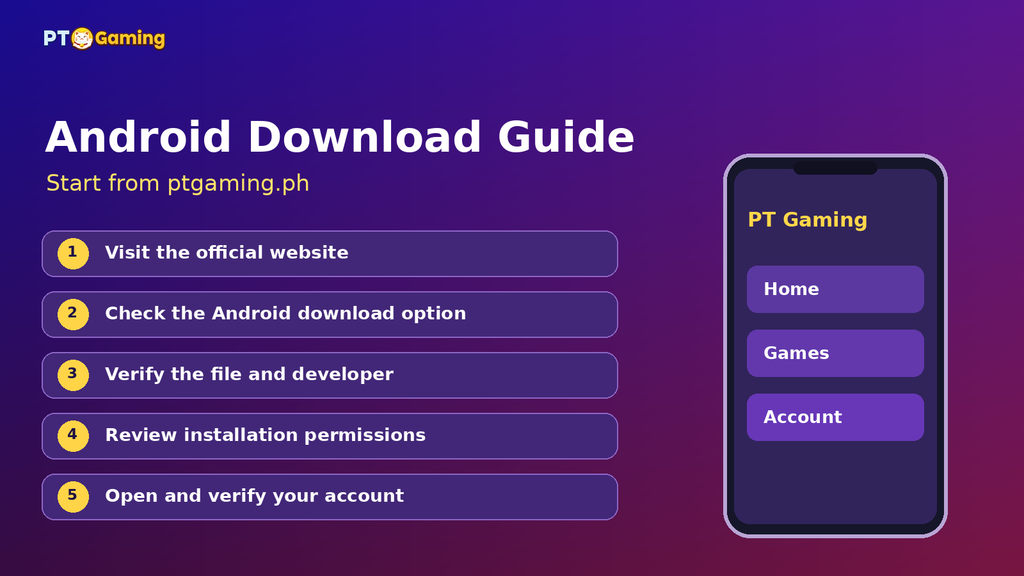
Using an Android phone? The safest approach is to begin with the official website rather than a random APK download page.
Step 1: Open PT Gaming
Launch Chrome or another trusted browser on your Android device.
Type ptgaming.ph directly into the address bar.
Avoid shortened links from unknown Facebook pages, Telegram groups, or private messages.
Step 2: Find the App Download Section
Look for an App Download, Mobile App, or similar option on the website.
Follow the current instructions provided by PT Gaming.
Download methods can change, so don’t rely on an old screenshot or an APK file saved months ago.
Step 3: Check the Download Source
If the website directs you to an app store, review the app name, developer, and permissions.
If it offers an APK, confirm that the file comes from a verified operator-controlled source.
Never install a modified APK promising extra credits, unlocked games, or guaranteed winnings.
Step 4: Install the App
Follow the installation instructions shown by your device.
Don’t disable security protections simply because an unfamiliar website tells you to.
If Android displays a warning, stop and verify the file before continuing.
Step 5: Open the App
Once installed, open the app and review the available account options.
If the interface or branding looks unfamiliar, return to ptgaming.ph and confirm that you’re using the correct application.
How to Download Playtime Casino App on iPhone
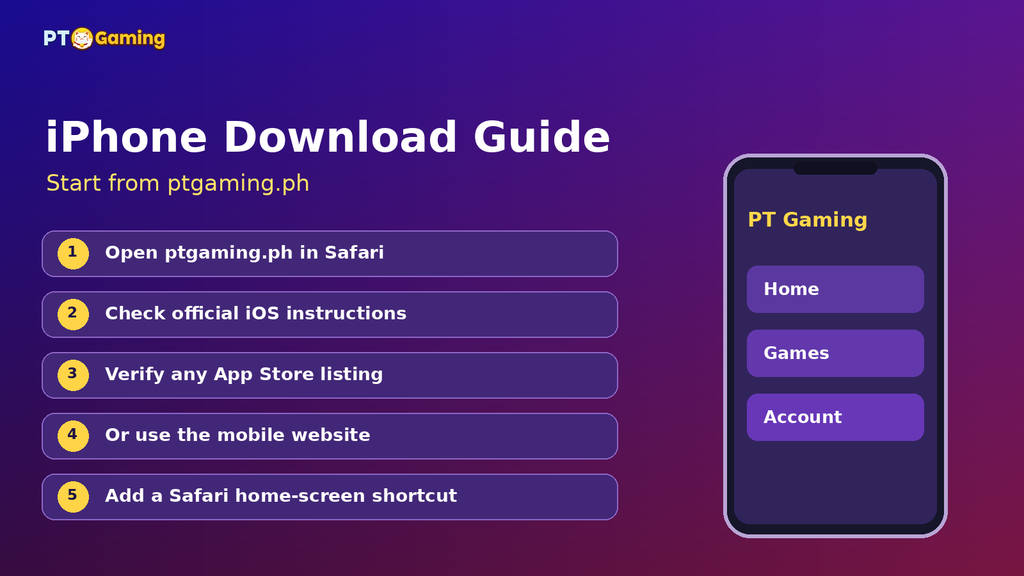
Using an iPhone? The process may be a little different.
Step 1: Visit the Official Website
Open Safari and go to ptgaming.ph.
Find the current instructions for iOS users.
Step 2: Check the App Store Option
If PT Gaming provides an App Store link, open it and review the app listing.
Check the publisher information, compatibility requirements, and available privacy details before installing.
Avoid apps that simply copy the Playtime or PT Gaming name without a verifiable connection to the operator.
Step 3: Install or Use the Mobile Website
If an official iOS app is available for your device and location, follow the App Store installation process.
Otherwise, you may be able to use the website directly through Safari.
You can also add a website shortcut to your home screen using Safari’s sharing options. This creates a shortcut, not a native app installation.
How to Register a PT Gaming Account After Downloading
New to PT Gaming? Account registration generally starts with your mobile number.
Here’s what to expect.
Step 1: Open the verified platform
Use the official website or an app obtained through its verified instructions.
Step 2: Select Register
Look for the registration option on the account screen.
Step 3: Enter your mobile number
Provide an active Philippine mobile number and any other required information.
Step 4: Complete verification
Enter the verification code if requested and follow the applicable identity and eligibility checks.
Step 5: Review your account
Before using real-money services, read the platform’s terms, payment conditions, and responsible gaming information.
Registration doesn’t automatically mean you’re eligible for every advertised promotion.
How to Log In to the Playtime Casino App
Already have an account? You shouldn’t need to create a new one just because you’re using a different device.
Open the verified PT Gaming app or website and select Login.
Enter the requested account information. PT Gaming’s published guidance describes mobile-number login with an OTP sent to the registered number.
Complete the verification step and check that your account details appear correctly.
If your OTP doesn’t arrive, confirm that your SIM is active and has a working signal. Avoid repeatedly requesting codes without checking whether an earlier message was delayed.
Never share your OTP with someone claiming to be customer support.
What Games Can You Access on PT Gaming?
PT Gaming is designed around several gaming categories rather than a single type of casino game.
Slot Games
Slots are familiar to many Filipino players.
Depending on the current lobby, you may encounter games from providers such as JILI and PG Soft.
Always check the game information, betting limits, and bonus rules before playing.
Live Casino
Live casino games feature dealers operating tables through video streams.
Common examples include baccarat, roulette, and blackjack.
The available providers and tables can change.
Card and Local Games
Players interested in familiar Filipino card games may want to explore categories featuring games such as Tongits.
Check the actual game lobby to see which versions are currently available.
Fishing and Other Games
Fishing and arcade-style games offer different visuals and controls from traditional slots.
Real-money versions still involve financial risk, regardless of how casual the gameplay looks.
Can You Use GCash or Maya With the Playtime App?
GCash and Maya are familiar payment services in the Philippines, and PT Gaming has published information about mobile wallet payments.
However, payment availability, limits, and processing conditions can change.
Before making a transaction, open the verified platform’s cashier section and check the currently supported options.
Make sure your account information matches any required wallet verification details.
Never transfer money to an unknown personal wallet based on instructions from an unofficial support account.
Is the Playtime Casino App Safe to Download?
The most important thing is where the app comes from.
A legitimate-looking logo isn’t enough to establish that an app is authentic.
For gaming services in the Philippines, you should also verify the operator and current authorization through the Philippine Amusement and Gaming Corporation (PAGCOR) at https://www.pagcor.ph/.
PT Gaming and PlayTime have been associated with Playmate Leisure Solutions Corp. in public regulatory and platform information. Check the latest records rather than relying only on older screenshots.
Keep your phone updated, use account security features, and never install files from unknown sources.
Real-money gaming is intended only for eligible users aged 21 and above, subject to applicable restrictions.
Playtime App Download Not Working? Try These Checks
The Download Button Doesn’t Work
Refresh the official website and check your internet connection.
If the problem continues, contact support through the verified platform.
The App Won’t Install
Check your available storage, device compatibility, and any security warnings.
Don’t force an installation from an unverified source.
You Can’t Log In
Make sure you’re using the correct registered mobile number and the latest verification code.
Use the official account recovery or support process if needed.
The App Keeps Loading
Try switching between mobile data and Wi-Fi, closing unused apps, or checking for an official update.
If the problem affects the platform itself, wait for an official service update rather than downloading a replacement app from an unknown website.
Frequently Asked Questions
Where can I find the Playtime casino app download?
Start at ptgaming.ph and follow the current mobile download instructions. Avoid unofficial APK mirrors and unfamiliar social media links.
Is Playtime the same as PT Gaming?
PlayTime and PT Gaming are associated brands in public platform information. Always verify the current operator and official website before installing an app.
Can I use the Playtime app on Android?
Check the official PT Gaming download options and current Android compatibility requirements.
Is there a Playtime casino app for iPhone?
Check the official website for its current iOS download or App Store instructions. Mobile browser access may also be available.
Can I log in with my existing Playtime account?
Follow the account access instructions on the verified PT Gaming platform. Published guidance describes login using a registered mobile number and OTP verification.
Do I need to download the app to access PT Gaming?
Not necessarily. PT Gaming also provides website access, which may be more convenient if you don’t want to install additional software.
Final Thoughts
Finding the right Playtime casino app download doesn’t need to be complicated.
Start with ptgaming.ph, confirm the current Android or iPhone installation method, and check the source before downloading.
Once you’re set up, take time to review the game categories, account security settings, and payment terms.
Most importantly, keep gaming within your entertainment budget. No casino game or promotional offer guarantees a win.