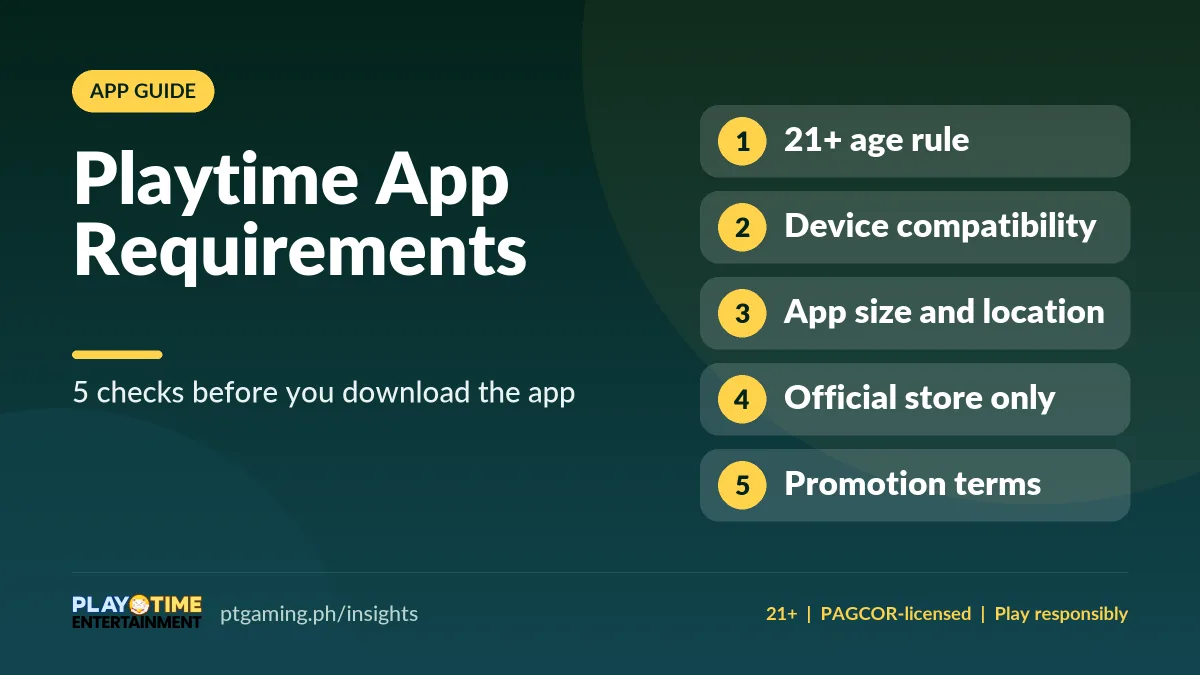
Before you download the Playtime App, check five things: the store age rating versus the 21+ play rule, your device compatibility (Android 7.0+, iOS 13+, macOS 11+), the app size and free space, your location, and the promotion terms. Install only from official stores. (Verified November 2026.)
Online gaming is a favourite among adults, and the Playtime App is both fun and rewarding — but installing it the right way matters. You need to know what devices it supports, its age rating, and how much space it needs. This is a pre-install checklist; for the full step-by-step install, see the Playtime APK download guide.
1. Check the Playtime App age rating vs the 21+ rule
Google Play and the App Store show the Playtime App at an 18+ content rating. If your account passes the store age check, you may be able to download it. But those ratings only describe the app’s content — in the operator’s rules you must be at least 21 to play and to withdraw.
If you don’t meet the age requirement, you can’t use the app, join promotions, or claim rewards — and you’ll need a verified GCash or Maya e-wallet to cash in and withdraw. Verification is also done when you withdraw your wins.
2. Confirm device compatibility
The Playtime App runs on both Android and Apple devices, but they must meet the minimum requirements below. Meeting them gives you a smoother gaming experience.
| Device | Minimum requirement |
|---|---|
| Android | Android 7.0 or later · ~115 MB free space |
| iPhone / iPad | iOS 13.0 or later |
| Mac (web play) | macOS 11.0 or later |
| Age | 21+ to play and withdraw (18+ store content rating) |
On Google Play, the compatibility section compares your device with the system requirements, so you can instantly see whether you can play or need a newer device. If you only meet the minimum, performance may vary — check for a software update before assuming you need new hardware.
3. Review app size and location settings
Besides a supported OS, leave extra space for game updates and your other apps. Take a moment to free up storage for better gameplay. Sharing your location lets the app send timely promotion notifications and confirm you’re in an eligible area.
4. Use a verified download channel
When you search the app on Google Play or the App Store, you may find look-alikes. Match the app name, publisher, and age rating before installing. If your device doesn’t meet the requirements, never use third-party download links — they may harm your device or lack the real features. Confirm the correct listing on the official download guide or the PT Gaming website. New to the app? The Playtime app guide shows where each feature sits.
5. Read the promotion terms before joining
Always read the promotion terms. Welcome bonuses and cashback offers can change, so an amount today may differ next time. Check if you’re eligible — some rewards are for VIPs, others for regular players — and review the wagering and withdrawal rules. See how wagering works in the signup bonus guide.
Final checklist before downloading
- Check the age rules: 18+ store rating, but 21+ to play and withdraw.
- Confirm compatibility: Android 7.0+, iOS 13+, or macOS 11+ for web — never download from other websites if you fall short.
- Review size and permissions: leave free space and check location and access requests.
- Verify the publisher: match the listing with the official website.
- Read promotion terms: confirm eligibility, limits, wagering and withdrawal rules.
FAQs about Playtime App requirements
What are the minimum requirements for the Playtime App?
Android 7.0 or later (about 115 MB free space), iPhone or iPad on iOS 13.0+, or macOS 11.0+ for web play. You must be 21+ to play and withdraw.
Why is the store rating 18+ but the play age 21+?
The 18+ store rating only describes the app’s content. The operator’s own rule, under its PAGCOR licence, requires players to be 21 or older to play and to withdraw.
Where should I download the Playtime App?
Only from Google Play or the App Store. Confirm the right listing on the official download guide, and avoid third-party links.
How much storage does the Playtime App need?
Allow around 115 MB of free space for the latest Android version, plus extra room for updates and your other apps. Google Play shows the current size on the listing.
These checks help you make a more informed decision before installing the Playtime App. Download only through Google Play and the App Store, review permissions thoughtfully, and take time to understand the rules before you start playing.