
What Should You Confirm About 774 Pub Online Casino First?
Match the Website Address to the Operator Named in the Terms
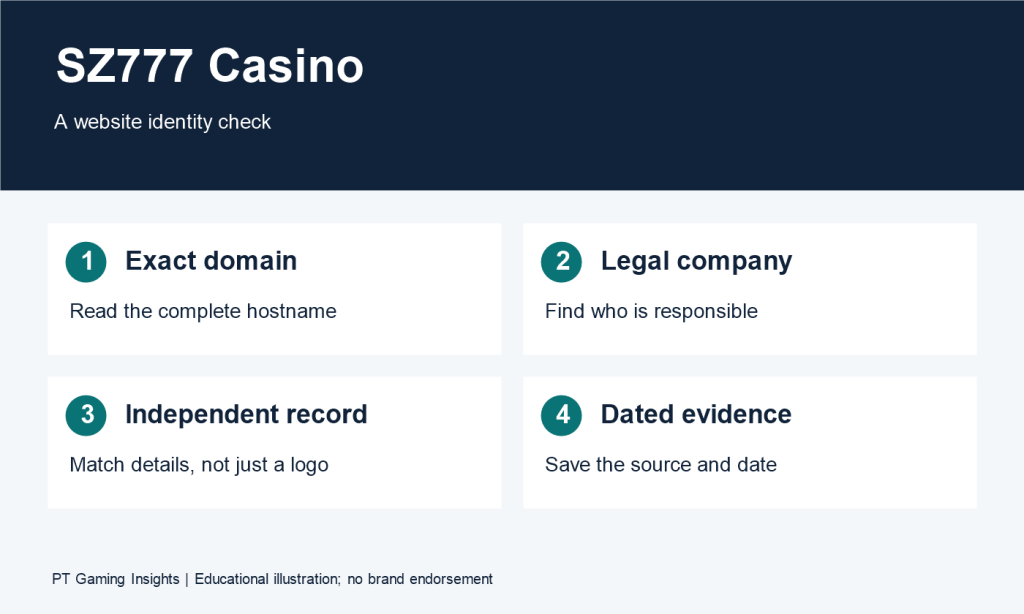
Open the registration page far enough to read its full address and find the terms linked from the form. Look for the operator named in those terms. If you arrived through a promotional page, compare its address with the address that would receive your registration details.
Suppose a search result labelled “774 Pub Online Casino” opens a promotional page, and tapping “Register” sends you to a second domain. I’d look for account instructions that identify the registration address, then check who the terms say would operate the account. If the privacy policy names a separate company, I’d check whether it explains which company handles the information submitted through the form.
Keep the page address, named operator, and document title together in your notes. If another search result uses similar branding, you can compare those three details and trace each account condition back to the page where you found it.

Find the Terms That Apply to Your Account
Read the eligibility section for location, age, and account restrictions. If it points to a separate list of permitted locations, check which service the list covers. Record the document date or version if one is shown, especially when two pages give different instructions.
For example, suppose a promotional page invites new users to sign up, while the registration terms point to a separate list of eligible locations. The registration button takes you to the form. The location list answers the eligibility question. If the list is unclear about your circumstances, ask which clause applies before entering personal details.
Also check what each document covers. The account terms may explain who can register, while an offer’s terms may specify which accounts qualify for that promotion. If you’re comparing the two, keep the eligibility question attached to the action you’re considering: opening an account or claiming a particular offer.
Which Games Can You Compare Using the Available Rules?
Check Whether a Listing Gives You Enough Information
Start with two titles that interest you and see how far you can get with each. A homepage banner gives you a name to look up. A catalogue entry may show a category, provider, or starting amount. The individual rules tell you what you’ll be asked to do during a round and which conditions determine the result.
Consider two hypothetical listings. The first lets you open its rules from the catalogue. The second displays a title and a 1-unit starting amount, but selecting the rules brings up a sign-in prompt. You can record the second game’s starting amount as displayed. A cost comparison still depends on whether the rules describe a paid option or a later action that requires another wager.
| What to compare | Hypothetical title A | Hypothetical title B |
| Information visible | Full title, version, and rules | Full title and a displayed starting amount |
| Rules access | Opens from the catalogue | Opens a sign-in prompt |
| What you can assess | Round sequence, stated costs, and qualifying results | How the title is listed and the amount shown at entry |
| Next detail to check | Whether the displayed payout includes the original stake | Where to read the rules and calculate the full round cost |
For a cost comparison, I’d start with titles that let me check the same information on both sides. If one game’s rules are unavailable, I’d keep it on the shortlist and leave its full cost open.
Record the Exact Title, Version, and Rule Source
Copy the full title as displayed. Add the version and provider if they appear, along with where you found each detail. For example, a provider name on a catalogue card is one observation. A version number in the game’s rules panel is another. Recording the source makes it easier to match the rules to the right listing when you return to it.
If two listings share a name or artwork, compare the version information and how each rules panel describes the round. One hypothetical listing might describe a single action that starts the round, while another describes a choice to continue after an initial result. That difference affects both what you need to do and what costs you’ll need to check in the next section.
If the version remains unclear, use the full title when asking for help. A specific question is, “Where can I read the rules for the version shown in this listing, including any additional stake required to continue a round?”
How Can You Compare Round Costs and Payout Rules?
Compare what you would commit under each set of rules. Start with the opening stake, then check whether a later decision adds to it and how the game calculates the payout.
Calculate the Full Cost of Each Choice
Suppose Game A costs 2 units for a complete round. Game B costs 1 unit to start and gives you the option to continue for another 2 units. The comparison changes depending on what you do in Game B.
| Hypothetical choice | Opening stake | Additional stake | Total committed |
| Complete a round in Game A | 2 units | 0 units | 2 units |
| Start Game B and stop at the decision point | 1 unit | 0 units | 1 unit |
| Start Game B and select the paid continuation | 1 unit | 2 units | 3 units |
If you’re comparing games, write down the actions each total includes. If a paid option remains selected between rounds, check the displayed total again before starting the next one.
Read the Payout Unit and Calculation Base
Read the label beside the payout figure. In a hypothetical game, 20 credits are worth 2 currency units when each credit is worth 0.10 units. A payout of 20 times a 0.50-unit base stake comes to 10 units. The figure on screen is the same in both examples, but you need a different calculation for each.
Also check whether the payout calculation includes any paid extra. Suppose a round costs 1 unit after an extra is added, and the rules apply a 20× multiplier to the 0.50-unit base stake. The calculated payout is 10 units. If the rules define that payout as the total returned, the net gain after the 1-unit cost is 9 units.

Check What Happens at Each Decision Point
Read the rules in the order you would use them. Find the action that starts the round, what you can do at each decision point, and what ends the round. If a choice is timed, check what the rules say happens when the timer expires.
Suppose a hypothetical game displays “Stage 1 complete” with a continuation button. Before selecting anything, check whether stopping settles the round, whether continuing commits another stake, and where the final result appears. If I were comparing that title with a game that settles after one action, I’d record the number of decisions and the cost of each path alongside the payout rules.
How Should You Compare Bonus Terms?
Open the terms for the exact offer you’re considering. Put the advertised amount beside the eligibility rules, completion requirements, and conditions that apply if you cancel or withdraw.
Check Eligibility, Activation, and Both Deadlines
Find out which accounts qualify, whether you have to opt in, and what action triggers the award. Record the deadline to claim the offer separately from the deadline to complete its conditions.
For example, a hypothetical offer could appear on the account page while its terms require a separate opt-in. Before counting the bonus in your comparison, check how the service confirms activation and when the completion period starts. The date the banner disappears may answer a different question from the date the wagering period ends.
Calculate Wagering From the Stated Base
Identify the amount the multiplier applies to. Consider these hypothetical terms for a 100-unit deposit and a 100-unit bonus.
| Wording | Calculation | Qualifying wagering required |
| 10× the bonus | 10 × 100 | 1,000 units |
| 10× the sum of the deposit and bonus | 10 × 200 | 2,000 units |
Then check which activity counts. If a hypothetical 20-unit wager contributes at 50%, it adds 10 units toward the requirement. The 20 units are the amount wagered. The 10 units are the amount credited toward the offer. Check game eligibility, contribution rates, and stake restrictions before comparing two offers on the basis of their multipliers.
Check What Happens If You Cancel or Withdraw
Read the clauses for cancellation, expiry, and withdrawal before completion. For each situation, look for how the terms treat the original deposit, the bonus balance, and any winnings associated with the offer.
Suppose a hypothetical offer explains that unused bonus credit expires but leaves the treatment of associated winnings unclear. Record that as an open question. If access to those funds would affect your decision, ask for the clause that covers them before accepting the offer.
Which Account and Withdrawal Terms Could Change Your Decision?
Read the account and withdrawal policies while you can still compare the conditions without submitting a form or funding an account.
Separate Registration Requirements From Later Verification
List what the registration form requests, then check which actions the account terms say may trigger further verification. Look for the timing, the information required, and the documented submission channel for each check.
In a hypothetical case, a form might ask for an email address and password, while a separate policy describes an identity check before a first withdrawal. If you’re comparing registration effort, record the fields required to open the account. If you’re comparing what it takes to receive funds, include the later verification steps. Check the recovery instructions as well if you might lose access to the email address or phone number associated with the account.
Compare Deposit and Withdrawal Conditions Side by Side
| Detail | Deposit instructions | Withdrawal terms |
| Method | Which methods can fund the account? | Which methods can receive funds? |
| Limits | What minimum or maximum applies to each deposit? | Is the limit per request, per day, or both? |
| Fees | Is a fee added to the amount entered? | Is a fee deducted from the amount sent? |
| Verification | Which checks apply when funding the account? | Which checks must be completed before payment proceeds? |
Read any time estimate from its stated starting point to its stated endpoint. If a hypothetical policy says a request is “reviewed within one business day,” look for a separate statement about when an approved payment is sent and whether the receiving method has its own delivery window. Also check when the review period begins if the request needs additional information.

How Can You Put the Comparison Together?
Use the Same Criteria for Each Game or Platform
Use one row for each detail that matters to your decision. Include the document or screen where you found it so you can return to the exact wording.
| What you’re comparing | What to record | What to leave open if the information is missing |
| Game rules | Exact title, version where shown, and rules location | Which rules apply to the listing |
| Round cost | Opening stake, selected extras, and total for each path | Cost of any action described without a price |
| Bonus obligations | Calculation base, contribution rate, and deadlines | Whether your chosen activity qualifies |
| Withdrawal conditions | Receiving method, fees, limits, and verification stage | Conditions for the amount and method you intend to use |
If one listing gives you a full rule panel and another shows only a starting amount, keep that difference visible in your comparison. You can compare the displayed entry amounts while leaving the second title’s full round cost unresolved.
Ask About the Clause That Would Change Your Decision
Pick the question that would affect what you do next and ask for the exact terms. A hypothetical support request about cancelling an offer could read:
I’m reviewing a bonus before accepting it. If I cancel the offer before completing the wagering requirement, which withdrawal clause applies to my original deposit? Please point me to the section that explains how the deposit, bonus balance, and associated winnings would each be handled.
Compare the reply with the offer and withdrawal documents you already found. If the reply refers to a different offer or version, ask which terms apply to the page you reached.
faq
Which Game Details Can I Check Before Signing In?
Record whatever the listing shows, such as the full title, category, provider, version, or starting stake. If the rules open, you can also check the round sequence, payout conditions, and optional costs. If you reach a sign-in prompt, leave those details open until you can review the rules.
How Do I Calculate the Full Cost of a Round?
Add the opening stake to any extra amount required for the choices you make. In a hypothetical game, a round that starts at 1 unit costs 3 units if you select a continuation priced at 2 units. Check whether any paid option stays active for the next round.
What Should I Check Before Accepting a Bonus?
Check eligibility, activation, and both deadlines for claiming the offer and completing its conditions. Identify the amount the wagering multiplier applies to and how much each eligible wager contributes. Read how cancellation, expiry, or an early withdrawal would affect your deposit, bonus balance, and associated winnings.