
What Should You Confirm About A45 Casino Before Joining?
Match the Website Address to the Account Terms
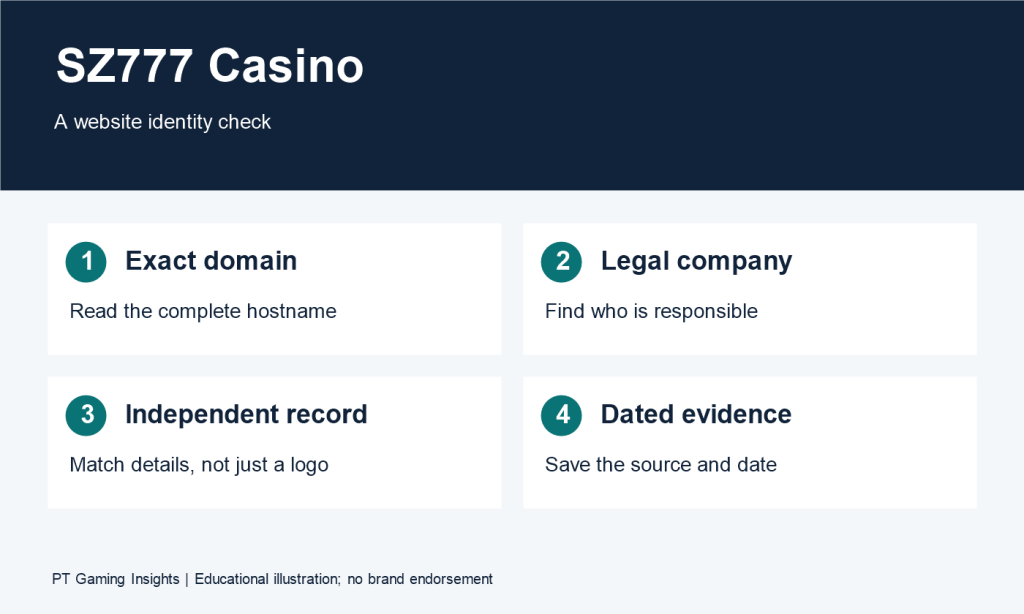
Open A45 Casino the registration page and read the full domain in your browser’s address bar. Then open the terms linked from the form and find the named operator. If you arrived through a promotional page, check whether the address changed when you opened registration.
Suppose a hypothetical page labelled “A45 Casino” displays a game catalogue, but selecting “Join” opens a form on a second domain. I’d look for account instructions that identify the second address, then check which operator the form’s terms name. If the privacy policy names a separate company, I’d check whether it explains who handles the information submitted through the form.
Keep three details together in your notes: the registration domain, the named operator, and the terms linked from the form. If another search result has similar branding, those details give you a way to trace each game listing or account instruction back to its source.
Check Which Eligibility Requirements Apply to You
Read the age, location, and account conditions in the terms attached to the form. If the terms refer to a separate list of permitted locations, check which service that list covers. If the wording refers to both where you live and where you access the site, check which condition applies to your situation.
For example, a hypothetical registration form might let you select your country while its terms refer to a separate eligibility list. The dropdown tells you which values the form accepts. The eligibility list tells you which locations the terms cover. If the documents leave your situation unclear, a focused question would be, “Which published eligibility terms apply to someone registering through this page?”

Which Games Can You Evaluate Before Signing In?
Check What the Catalogue and Rules Each Show
Start with two titles you’re interested in. Open each listing and see whether you can reach its rules. Record where you stopped, especially if one title shows a starting stake but asks you to sign in before you can see what that stake covers.
| What to check | Hypothetical Game A | Hypothetical Game B |
| Information visible | Full title and a 1-unit starting stake | Full title and a 1-unit starting stake |
| Rules access | Rules open from the catalogue | Selecting the rules opens a sign-in prompt |
| Round actions | The rules describe the opening action and an optional continuation | The listing shows the starting amount. Later actions remain unclear. |
| What to check next | Whether the continuation carries an additional stake | Where to find the rules and whether 1 unit covers a complete round |
Both listings show the same starting amount. Game A gives you a rule to consult about the continuation, while Game B gives you an amount to record as the displayed entry stake. If I wanted to compare complete costs, I’d first pick two titles with readable rules so I could check the same information for both.
Match the Rules to the Exact Title and Version
Record the full game title, any version or provider shown, and where each detail appears. If the provider appears on the catalogue card and the version appears in the rules panel, keep both sources in your notes. This gives you enough information to reopen the same listing or ask about it later.
Suppose a hypothetical catalogue card says “Fruit Trail,” while the rules panel says “Fruit Trail Plus.” Check for a version label or an explanation that connects the two names before applying the rules. If the connection remains unclear, ask, “Which rules apply to the listing named ‘Fruit Trail,’ and where can I check any additional stake required during a round?” Include both names so support can identify the listing and the panel you reached.
How Can You Compare the Full Cost and Payout Rules?
Start with the total you would commit to the round. Then check which amount the game uses to calculate a payout. If you add a paid option, the amount charged and the amount used in the payout calculation can differ under the game’s rules.
Add the Opening Stake and Any Later Charges
Suppose two hypothetical games have different round structures. Game A settles after a single 2-unit stake. Game B starts at 1 unit and offers a continuation for another 2 units.
| Round and decision | Opening stake | Additional stake | Total committed |
| Complete a round in Game A | 2 units | 0 units | 2 units |
| Start Game B and stop at the decision point | 1 unit | 0 units | 1 unit |
| Start Game B and select the paid continuation | 1 unit | 2 units | 3 units |
Game B’s starting amount is lower. Once you select the continuation, its total exceeds Game A’s by 1 unit. If you’re comparing the two, keep both Game B totals beside the decisions that produce them.
For a separate paid feature, check whether it applies to the current round or stays enabled. In a hypothetical game with a 0.50-unit extra that remains active for 10 rounds, the feature adds 5 units to the total wagered. Check the selected settings and displayed total again before the next round.
Check the Payout Unit and Calculation Base
Read the label beside the payout figure, then find the calculation in the rules. The following examples use hypothetical values.
| Display | What to check | Example calculation |
| 20 credits | Value of one credit | At 0.10 currency units per credit, 20 credits equal 2 currency units. |
| 20× the base stake | The stake the rules define as the base | At a 0.50-unit base stake, the calculated payout is 10 units. |
| 5 units total return | Whether the return includes the original stake | If it includes a 2-unit stake, the net gain is 3 units. |
Suppose the round with a 0.50-unit base stake costs 1 unit after you add a paid option. If the paytable applies the 20× multiplier to the base stake, the calculated payout is still 10 units. If the rules define that figure as the total returned, subtract the full 1-unit round cost to get a net gain of 9 units.
Read What Happens at Each Decision Point
Follow the sequence from opening action to settlement. If an intermediate result appears, check whether stopping settles the round, whether continuing changes the stake or the result used for settlement, and what happens if the timer runs out.
In a hypothetical game, a screen might show “Stage 1 complete” with a countdown and a Continue button. If the rules describe what happens when you select Stop but leave the timeout unclear, keep that question open. Before comparing the game with a title that settles automatically, check whether you would need to act within the countdown and where the final result would appear.
Which Mobile Features Are Worth Checking?
Check the mobile destination first. Then try opening a game’s rules, locating the full amount, and finding your way back to the same listing. These tasks show which information you can reach on the device you intend to use.
Identify What the Mobile Link Opens
The destination determines which details you need to verify.
| What opens | What to check |
| Browser page | The full domain and the account terms that apply there |
| App store listing | The named publisher and listed device requirements |
| Installation file | The distribution source, exact release, and requirements for that release |
If a hypothetical page offers both a store listing and a direct download, check the release information for each. For example, a listing describing version 2.4 gives you requirements for that version. If the download page identifies its file as version 2.3, look for the documentation attached to that release.
Try Three Tasks on Your Phone
- Open the full rules. Find the section that explains when the round ends and how it settles.
- Find the total and its unit. Check whether the amount is shown in currency or credits and whether any selected extras are included.
- Return to the catalogue. Use the full game name or its category to find the same listing again.
Suppose the rules open, but the label beside the amount is cut off in portrait view. Record the title, the screen, and the missing label. If you can see it in landscape view, note that too. “The amount is visible in portrait, but its unit only appears in landscape” gives you a specific issue to describe if you need help.
Find Where the Screen Confirms an Action
Look for what the interface shows when you select an amount, when you submit it, and when the service confirms acceptance. For example, in a hypothetical interface, selecting a 2-unit chip sets its denomination. Applying it twice produces a 4-unit total. The review screen is where you can compare that total with the amount you meant to submit.
If the page stops responding after submission, note whether you saw an acceptance message. Look for any available round record and match it by game title, amount, time, and reference number. If you find a matching entry with an unclear status, check the help instructions or ask support about that entry before repeating the action.

What Account and Withdrawal Terms Could Affect Your Decision?
Read the conditions for the actions you expect to take. The registration form can show which information is requested upfront. The account and withdrawal terms can explain what you’d need to provide later.
Check Sign-In, Verification, and Recovery Instructions
Read the sign-in field label and any help text. Check which account identifier it asks for and whether the published instructions describe an additional verification step. If the registration and withdrawal documents describe different checks, record what triggers each one and where the instructions say to complete it.
For recovery, consider two cases. If you’ve forgotten the password and still control your registered email or phone number, look for the published reset steps and how completion is confirmed. If you can no longer access that contact method, find the instructions for that situation. In a hypothetical case where reset instructions go to an old email address, the question for support is which procedure applies when you can no longer open that inbox.
Compare Deposit and Withdrawal Conditions Separately
| Detail | Deposit instructions | Withdrawal terms |
| Method | Which methods can fund the account? | Which methods can receive funds? |
| Limits | What minimum or maximum applies per deposit or over a stated period? | What limits apply per request or over a stated period? |
| Fees | Is a charge added to the entered amount? | Is a fee deducted from the amount sent? |
| Verification | Which checks apply when adding funds? | Which checks must be completed for a withdrawal to proceed? |
Check which stage a processing estimate covers. A hypothetical policy that says a request is “reviewed within one business day” gives you a review window. To estimate delivery, look for when approved payments are sent, whether the receiving method has its own delivery window, and when the review clock starts if verification is still pending.

Ask for the Clause That Would Change Your Decision
If one requirement would affect whether you register, ask about that action and request the exact policy. For example:
I’m reviewing the account terms before registering. When would I need to complete identity verification for a first withdrawal? Could you point me to the policy that lists the required information and explains where to submit it?
If the reply cites a policy from another page, check that it applies to the registration domain and receiving method you’re considering.
FAQ
How Can I Identify the A45 Casino Website I Am Looking For?
Check the full domain in your browser and the operator named in the terms attached to the registration form. If the form opens on a different domain, look for published account instructions that explain the connection. The official A45 Casino address remains unverified for this guide.
Which Game Details Can I Check Before Signing In?
Record what the listing shows, such as the full title, starting stake, provider, and version. If the rules open, you can also check what starts and ends the round, which results qualify for a payout, and whether later actions add to the stake.
How Do I Calculate the Full Cost of a Round?
Add the opening stake to any charges tied to the actions you select. In a hypothetical game that starts at 1 unit and charges 2 units to continue, you commit 1 unit if you stop or 3 units if you continue. Check whether a paid option stays active for subsequent rounds.