
What Should You Confirm About 747live Bet First?
Match the Full Domain with the Service Terms
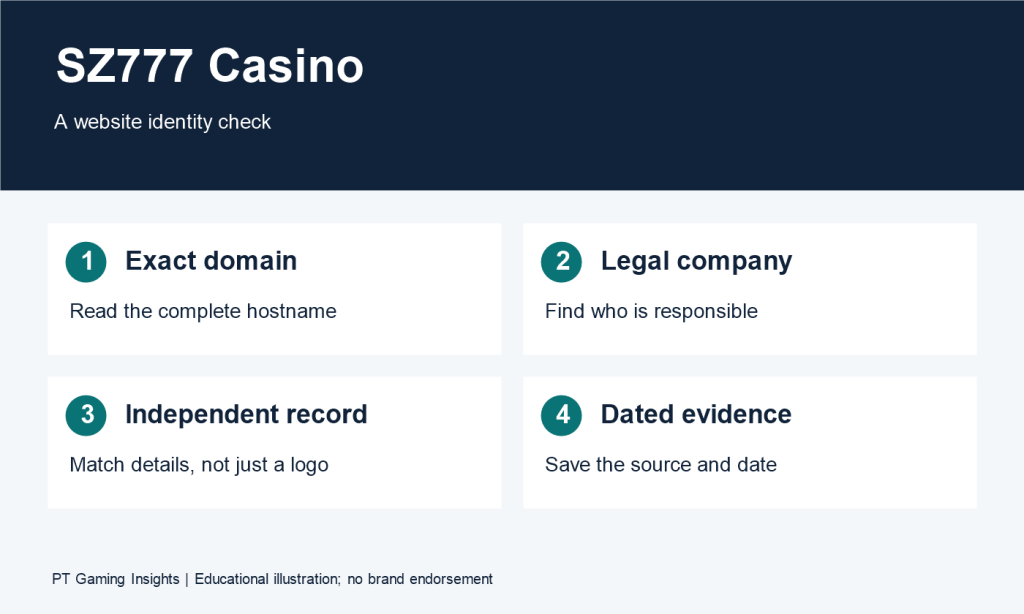
Read the complete domain in your browser’s address bar, then find the operator named in the service terms. Check the address again if a login or registration button opens another page.
For a hypothetical example, a promotional page could use the 747live Bet name while directing account creation to a second domain. Before entering details, look for account documentation explaining that destination and the terms that apply there.
Keep a short record of the information you find:
| Item | What to record | Question to resolve |
| Website address | Complete domain after any redirect | Which website am I using? |
| Account destination | Address opened by login or registration | Where would I submit account details? |
| Operator | Entity named in the applicable terms | Who operates the account service? |
| Privacy information | Policy linked to the account page | Who handles submitted information? |
| Help information | Published account or support instructions | Where can I ask about an unresolved detail? |
If the documents name different entities, look for an explanation of their responsibilities. Record the role assigned to each entity so you can identify which instructions govern your intended action.

Check What the Platform Actually Offers
Start with the categories and listings you can open. Record their names and check whether each listing provides access to rules or further information.
The words “live” and “bet” leave the product range unresolved. Examine the actual menu before describing an option as sports betting, a dealer-hosted game, or another format.
Suppose a homepage advertises several categories, but opening one brings up a sign-in screen. You can record that the category is displayed. Its current contents, available rules, and accessibility to your account still need checking.
This approach gives you a precise question to ask. “Where can I read the rules for the option shown in this category?” identifies the missing information more clearly than asking whether the platform has many features.
Read Eligibility Before Registering
Find the published age, location, and account restrictions before completing a form. If eligibility is explained on a separate page, check whether that document applies to the account service you reached.
For a hypothetical example, the registration page might load on your phone while the terms refer to a separate list of permitted locations. Read that list before deciding whether you qualify.
Also check when verification is required and what information the policy says you must provide. A short registration form may leave later account requirements to another document. Read both before accepting the account conditions.
How Can You Compare the Available Betting Options?
Identify the Exact Game or Market
Record the complete name of the option you want to examine. The identifying details depend on what is actually offered.
If you find a game, note its title, version, and provider where displayed. If you find an event market, note the event, selected market, relevant period, and selection. Those details establish which rules you need.
For a hypothetical event example, a selection covering a full match and one covering only its first period require different settlement definitions. For a hypothetical game example, two versions with similar names could use different paid options. Read the information attached to the exact listing before comparing costs.
A small record can help:
| Comparison point | Information to collect |
| Exact option | Full game title or event and market |
| Scope | Version, period, or round covered |
| Rules | Location of the applicable instructions |
| Amount | Complete stake under the selected settings |
| Settlement | Conditions that determine the result |
| Open question | Any detail you cannot establish |
Find the Rule That Determines Settlement
Look for the condition that decides whether a wager wins, loses, or receives another treatment.
If the option concerns an event, check how its rules define the result, relevant time period, and treatment of cancellation or postponement. If it is a casino game, find the qualifying result, required player actions, and any conditions attached to optional features.
Consider a hypothetical example in which an event listing displays a team name and a price. Before selecting it, establish whether the market covers regulation time or includes another period. The name and price alone leave that question open.
For a game, the equivalent check is whether you understand what ends the round and which result qualifies for the displayed payment. If the rules do not answer that question, seek clarification before committing money.
Calculate the Complete Amount Committed
Start with the main stake, then include any additional wager or disclosed charge associated with the actions you intend to take.
For a hypothetical comparison:
| Selected actions | Initial stake | Additional amount | Total committed |
| One wager with no extra charge in this example | 10 units | 0 units | 10 units |
| Main wager plus a separate optional wager | 10 units | 2 units | 12 units |
| Opening wager followed by a paid continuation | 5 units | 10 units | 15 units |
Check how the interface labels the total before submission. If the amount changes after selecting an option, compare it with the rules to understand what caused the increase.
These calculations show the money committed to the selected actions. The result and any return depend on settlement. Keeping the cost calculation clear makes it easier to compare the available options against your planned spending limit.
What Should You Check Before Submitting a Bet?
Read the complete amount and the meaning of any displayed return. Then check how the interface confirms that your submission was accepted.
Read the Amount, Unit, and Displayed Return
Confirm whether the amount uses currency, credits, or another unit. If credits appear, find the value assigned to each credit before calculating the cost.
For a hypothetical example, a 50-credit stake costs 5 currency units when each credit is worth 0.10 units. If you select another credit value, recalculate the amount before submitting.
Read the label beside any projected return. For a separate hypothetical example, a 10-unit stake with a displayed total return of 18 units produces an 8-unit net gain if that return includes the original stake. Check the applicable explanation before interpreting the figure.
Distinguish Selection from Acceptance
Follow the sequence shown by the interface:
- Select the option and amount.
- Review the full submission.
- Submit it.
- Read the acceptance message or recorded status.
A highlighted selection tells you which option is currently chosen. After submission, look for the service’s indication that the wager was accepted.
For a hypothetical example, you might select a 10-unit stake, submit it, and then receive a message requesting another confirmation. Read that message before assuming the original selection has been accepted.
Check whether the final record matches the option, period or round, and stake you intended.
Check Instructions for an Interrupted Submission
If the page stops responding after submission, identify the last confirmation you saw. Look for an available wager or round record before repeating the action.
Record the option name, approximate time, amount, and any reference. If the status remains unclear, ask support whether the original submission was accepted and whether you need to take another step.
This guide does not establish the submission or interruption procedures used by a verified 747live Bet interface.
How Should You Review Account and Mobile Access?
Check the mobile entry point and account instructions through the tasks you need to complete. Establish how to sign in, recover access, read rules, and find help.
Identify What the Mobile Link Opens
A mobile button may lead to a browser page, application listing, installation file, or shortcut instructions. Examine the destination before proceeding.
| Destination | Information to check |
| Browser page | Complete domain and applicable account terms |
| Application listing | Publisher and listed device requirements |
| Installation file | Distribution source, release number, and matching requirements |
| Shortcut instructions | Website the shortcut will open |
If an installation file is offered, compare its stated release with the requirements published for that release. Resolve conflicting version information before using those requirements to assess your device.
No particular mobile application, APK, or supported operating system is confirmed here for 747live Bet.
Read Sign-In and Recovery Requirements
Check which identifier the form requests and whether the instructions describe an additional verification step. If you use autofill, confirm that it selected the intended account.
Find recovery guidance for both forgotten credentials and an unavailable registered contact method. These situations can stop access at different stages.
For a hypothetical example, resetting a password through an old email address leaves the contact-access problem unresolved if you cannot open that mailbox. Ask which published procedure covers that situation.
Test Access to Rules, Records, and Help
Try a short sequence before relying on the service:
| Task | What to observe |
| Open rules | Can you read the complete conditions for the selected option? |
| Review an amount | Are the unit and full stake visible? |
| Find a confirmation | Can you identify what was accepted? |
| Inspect a record | Are the reference and status understandable? |
| Locate help | Can you find instructions for the problem you need to resolve? |
Record where a task stops. “The rules panel opens, but the settlement section is cut off on my phone” gives a specific issue to investigate.
What Payment Conditions Should You Read Before Depositing?
Read the withdrawal policy alongside the deposit instructions. Establish the requirements for funding the account and receiving money from it.
Compare Deposit and Withdrawal Methods Separately
Record the published conditions for each transaction type.
| Detail | Deposit question | Withdrawal question |
| Method | Which funding options are available? | Which receiving options are available? |
| Limits | What transaction or period limits apply? | What request or period limits apply? |
| Fees | What charges are disclosed? | What deductions are disclosed? |
| Account details | Which information must match? | What receiving-account details are required? |
| Verification | What checks apply at this stage? | What checks must be completed before payment? |
For a hypothetical example, a policy could list a maximum of 500 units per withdrawal request and a separate daily maximum. Read both before planning the transaction.
No payment method, limit, or fee is confirmed for 747live Bet in this guide.

Check Verification and Processing Stages
Identify when verification must be completed and how the instructions describe any additional information required.
For timing estimates, find the starting and ending points. A hypothetical statement that requests are reviewed within one business day describes the review stage. Check the separate explanation of payment delivery and any conditions affecting it.
Look for definitions of business days, submission cutoffs, and the treatment of incomplete requests.
Find the Procedure for an Unclear Transaction
If a record is available, collect its reference, date, amount, method, and displayed status. Compare those details with the confirmation you received.
A complete hypothetical support message could read:
My withdrawal request shows “Submitted” in the transaction record. I sent it at about 9:10 a.m. Manila time and have retained the reference number. Which processing stage does this status represent, and is any action required from me?
Use the published support channel. Keep passwords and login codes private, and follow the documented procedure before submitting the same request again.
How Should You Evaluate Promotional Offers?
Read the conditions attached to the specific offer before accepting it. This guide does not confirm an active 747live Bet promotion.
Check Eligibility, Activation, and Deadlines
Find which accounts qualify, which action triggers the offer, and whether a code or opt-in is required.
Record the claim deadline separately from the deadline for completing associated conditions. Also check what happens if the offer expires or is cancelled.
For a hypothetical example, an offer might appear after sign-in but require a separate activation step. Read how the service confirms activation before assuming the offer has been applied.
Calculate Requirements from the Stated Base
Identify the amount to which the wagering multiplier applies.
| Hypothetical requirement | Calculation | Qualifying wagering |
| 10× a 100-unit bonus | 10 × 100 | 1,000 units |
| 10× a 100-unit deposit plus a 100-unit bonus | 10 × 200 | 2,000 units |
The calculation base changes the obligation even though the multiplier stays the same.
If the offer restricts eligible activities, wager types, or minimum odds, read those conditions before counting a wager toward the requirement. These figures describe qualifying wagering and do not predict the session’s financial result.
Read Restrictions Affecting Withdrawals
Check contribution rates, stake restrictions, expiry conditions, and any limits affecting associated winnings.
For a hypothetical example, a 20-unit wager contributing at 50% counts as 10 units toward the requirement. Other conditions would still apply.
Read how deposited funds, bonus funds, and winnings are treated. If the wording leaves a material question unanswered, request clarification before accepting the offer.
How Can You Decide Whether the Information Is Sufficient?
Review the questions that could change your decision. Prioritize identity, eligibility, full costs, settlement, account recovery, and withdrawal requirements.
Summarize Confirmed Details and Open Questions
Use a record that shows where each statement came from.
| Area | Information to establish |
| Identity | Domain, named operator, and applicable documents |
| Product | Exact option and accessible rules |
| Cost | Full stake and any disclosed additional charge |
| Settlement | Qualifying outcome and treatment of exceptions |
| Account | Sign-in, verification, and recovery requirements |
| Payments | Methods, limits, fees, and processing conditions |
| Promotions | Eligibility, activation, and completion requirements |
Label a policy statement as something the policy states. Record an interface observation as something you saw. Leave unresolved claims as questions until you have information that addresses them.
Compare Alternatives Using Consistent Criteria
Apply the same questions to each service you examine. Compare the complete cost of the intended actions, access to rules, account obligations, and transaction conditions.
A comparison should show where the information is incomplete. If one service publishes a detailed settlement policy and another leaves it unclear, retain that difference in your notes rather than filling the gap with an assumption.
Set Spending and Time Limits
Choose an amount you can afford to lose without affecting essential expenses. Set a finishing time before starting.
Include optional wagers and fees when calculating your planned stake. A hypothetical 120-unit budget represents 30 commitments of 4 units before accounting for returns or further costs. Use that calculation to understand spending scale.
Stop when the money or time limit is reached. Limits help control exposure and time spent. They do not change the probability or settlement of an individual wager.
FAQ
How Can I Identify the 747live Bet Website I Am Looking For?
Compare the full domain with the address identified in the service’s published terms and account instructions. If registration opens on another domain, look for documentation connecting that destination to the operator. The official website address remains unverified for this guide.
Which Betting Options Are Available?
The current product range remains unconfirmed. Review the categories and exact listings you can inspect, then open their rules. For an event market, record the event, market, selection, and period covered. For a game, record the title and version where displayed.
How Can I Check Whether My Bet Was Accepted?
Look for an acceptance message or an available wager record showing the option, amount, reference, and status. Read the service’s explanation of that status. If the page stopped responding after submission, check the existing record or ask support about it before repeating the action.