
Want to complete your SportsPlus GCash registration but aren’t sure where to start?
If you already have a GCash account, you may be able to use the same registered mobile number when creating your SportsPlus account. This makes it easier to keep your account details consistent when checking supported payment options later.
One thing to remember: having GCash doesn’t automatically give you a SportsPlus account. You’ll still need to complete the platform’s registration process.
Here’s how it works.
Can You Register SportsPlus Using Your GCash Account?
You can use the mobile number associated with your GCash wallet when signing up for SportsPlus, provided the number meets the platform’s registration requirements.
However, GCash and SportsPlus are separate accounts.
GCash is an electronic wallet used for payments, while SportsPlus is an online sports betting and gaming platform.
Using the same mobile number doesn’t automatically connect the two services or allow you to log in with your GCash MPIN.
How to Complete SportsPlus GCash Registration
If you’re new to SportsPlus, follow these steps.
Step 1: Visit the Official SportsPlus Website
Open Chrome, Safari, or another browser on your phone.
Visit:
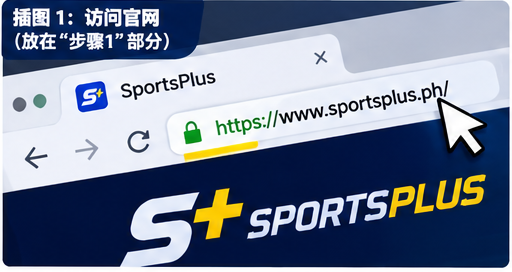
Before entering any personal details, check the website address carefully. Avoid unfamiliar links shared through Facebook groups, Telegram, or text messages.
Step 2: Find the Registration Page
Look for the Register or Sign Up option on the website.
Open the registration form and review the information requested.
The exact fields may change depending on the current version of the platform.
Step 3: Enter Your GCash-Registered Mobile Number
If SportsPlus accepts your mobile number, you can enter the same Philippine number you use for GCash.
Make sure the number is active and belongs to you.
Using matching details can help prevent confusion during account verification and future payment checks.
Step 4: Complete Your SportsPlus Account Details
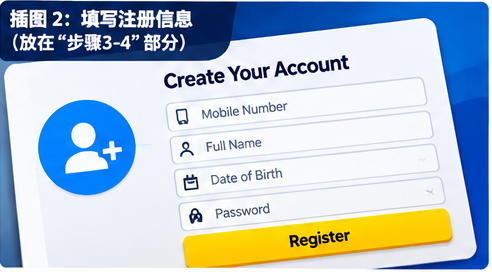
Fill out the required information accurately.
Depending on the registration process, you may be asked for:
- Your full name
- Mobile number
- Date of birth
- Account password
- Identity verification details
Use your real information. Incorrect details can create problems when verifying your account.
Step 5: Verify Your Mobile Number
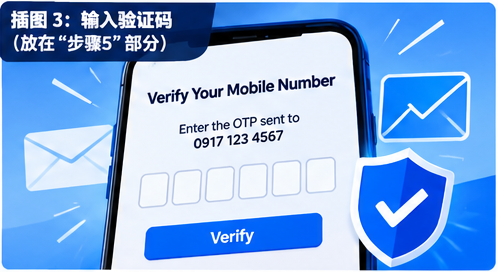
If SportsPlus sends an OTP or verification code, enter it on the official registration page.
Never share your OTP with anyone, including people claiming to be customer service representatives.
Also, remember that your GCash MPIN and SportsPlus password should remain separate.
Step 6: Log In to Your New Account
Once your registration has been accepted, return to the login page.
Enter your SportsPlus credentials and check your account profile.
If identity verification is required, complete it through the platform’s official verification process.
How to Connect GCash to SportsPlus After Registration
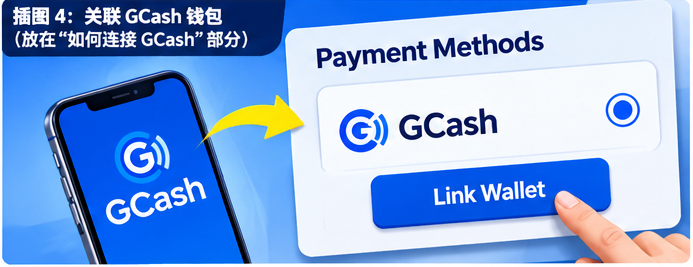
After creating your SportsPlus account, you may want to check whether GCash is available as a payment method.
Here’s what to do:
- Log in to your SportsPlus account.
- Open the Wallet, Cashier, or Payment section.
- Check the currently supported payment methods.
- Select GCash if it is available.
- Follow the instructions shown by the payment provider.
- Confirm that your wallet details are correct.
Payment availability can change. If GCash isn’t listed, don’t send money to a personal wallet number provided by an unknown agent.
Do You Need a Verified GCash Account?
A verified GCash account is generally more useful for financial transactions because it provides access to additional wallet features and higher limits.
GCash verification typically requires personal information and an accepted identification document.
However, having a verified GCash wallet doesn’t replace SportsPlus identity verification.
The gaming platform may have its own Know Your Customer (KYC) requirements.
Why Is SportsPlus GCash Registration Not Working?
Sometimes registration doesn’t go as expected.
Here are a few things worth checking.
Your mobile number isn’t accepted
Confirm that you’ve entered the correct Philippine mobile number and that it hasn’t already been used for another account.
You haven’t received an OTP
Check your mobile signal, wait briefly, and use the resend option if available.
Your personal details don’t match
Review your name, date of birth, and other registration information.
GCash doesn’t appear in the payment section
This may mean the payment method isn’t currently supported or available for your account.
The website looks different from what you expected
Stop before entering your password. Verify the domain and contact support through the official website.
Is SportsPlus GCash Registration Safe?
SportsPlus is associated with Infinitech Digital Gaming Corporation, a Philippine gaming company that identifies SportsPlus as its flagship brand.
Even so, account security matters.
Always use the verified SportsPlus website, keep your passwords private, and check the current operator details through PAGCOR’s official resources.
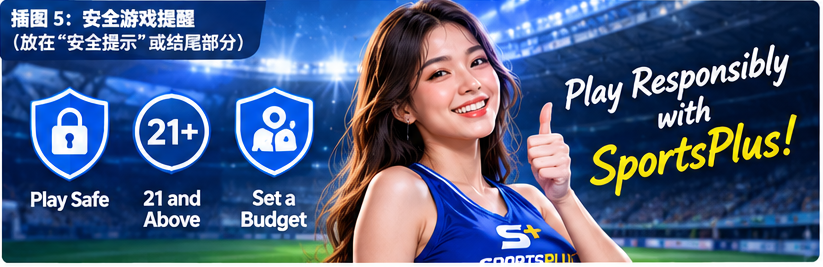
SportsPlus is intended for eligible players aged 21 and above in the Philippines.
Frequently Asked Questions
Can I register SportsPlus directly with GCash?
You may use your GCash-registered mobile number when creating a SportsPlus account. However, direct GCash account login has not been confirmed.
Do I need to create a separate SportsPlus account?
Yes. Your GCash wallet and SportsPlus gaming account are separate services.
Can I use the same phone number for SportsPlus and GCash?
You can generally enter the same number if it meets SportsPlus registration requirements. Always follow the current instructions on the official website.
Is GCash required for SportsPlus registration?
Not necessarily. GCash is a payment service, and the available registration methods depend on SportsPlus.
Can I use GCash for SportsPlus deposits and withdrawals?
SportsPlus has previously supported GCash transactions. Check the current cashier page for availability, fees, limits, and verification requirements.
Final Thoughts
Completing SportsPlus GCash registration starts with creating a SportsPlus account using your own mobile number and accurate personal details.
If you already use GCash, entering the same registered number may make future wallet verification easier, but it doesn’t automatically link your accounts.
Always register through the verified SportsPlus website, check current payment options, and protect your account information.
Remember that sports betting involves financial risk. Set spending limits and never gamble with money needed for everyday expenses.